AI-powered video messaging tool that records, shares, and manages video messages with AI-generated titles, summaries, and tasks.
16M visits/mo-3.4%#5 Chatbots & Assistants

Indexes video clips with AI-generated tags, transcripts and on-screen text for fast search and storyboarding
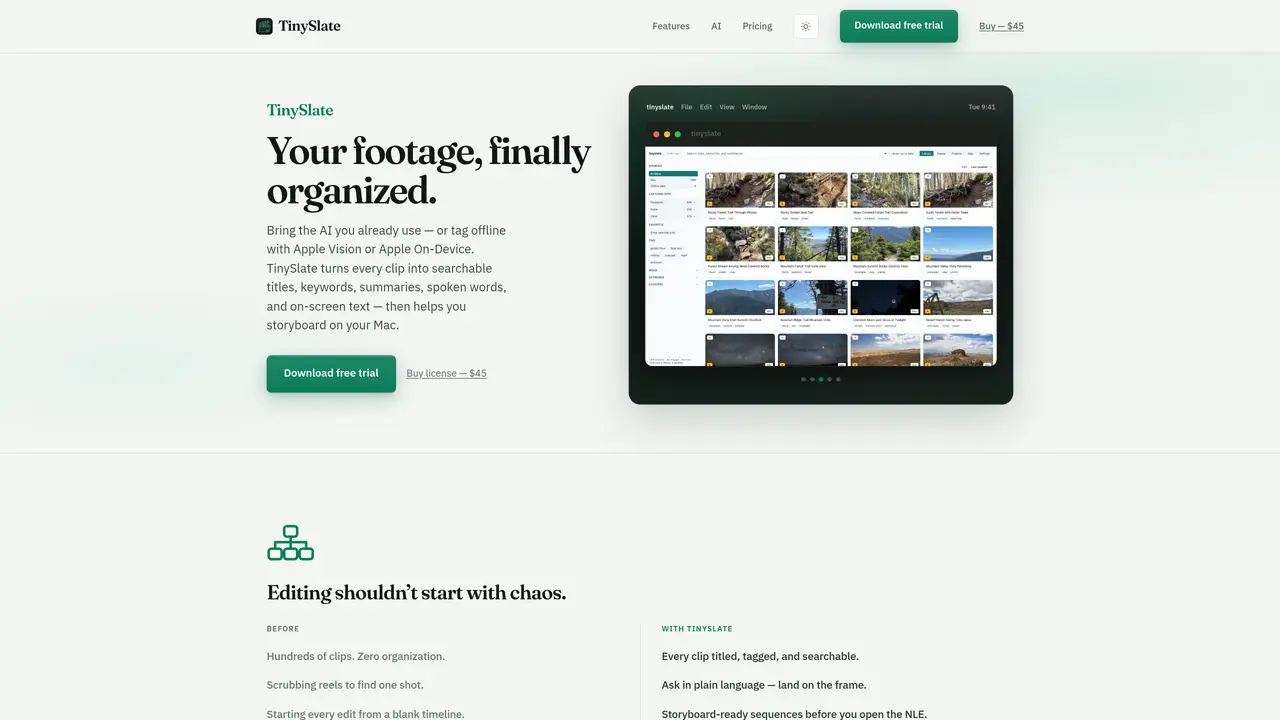
TinySlate indexes video clips by generating titles, keywords, summaries, spoken-word transcripts and on-screen text, then stores them in a searchable macOS library. Users can point the app at folders containing footage from drones, cameras or phones; TinySlate automatically detects new clips and analyzes them using either cloud AI providers (Claude, OpenAI, Gemini, Ollama, etc.) or on-device options (Apple Vision or Apple On-Device). The indexed clips can be queried in plain language to locate specific shots, filtered by mood, location or capture time, and assembled into storyboard-ready sequences before opening an NLE. The app also offers GPS mapping for drone and travel footage, a library of LUTs and overlays with AI recommendations, and one-click exports to Final Cut Pro, Premiere Pro or DaVinci Resolve. Metadata can be written back to files as XMP or embedded tags, and libraries can sync across multiple Macs via iCloud.
For cloud AI providers like Claude, OpenAI, or Gemini, you need your own API key. TinySlate also supports local options like Ollama or Apple Vision/On-Device, which do not require an API key.
Yes, TinySlate can analyze footage offline using Apple Vision or Apple On-Device frameworks. Cloud providers are optional and only used if you choose to enable them.
TinySlate exports directly to Final Cut Pro, Premiere Pro, and DaVinci Resolve. It also writes metadata back to files as XMP or embedded tags for compatibility with other Adobe applications.
Footage remains on your Mac unless you explicitly choose to send frames to a cloud AI provider. TinySlate does not use your footage for training others' models.
Yes, TinySlate supports iCloud sync, allowing your library to stay updated across all the Macs you use for editing.
TinySlate requires macOS 13 or later and is compatible with both Apple Silicon and Intel Macs.
We use essential cookies to run aitoolnavio™, and optional cookies to analyze traffic and measure our marketing. You choose what we use — optional cookies stay off unless you turn them on. See our Privacy Policy.
One short email a week: fresh tools worth trying, honest takes and the updates that actually matter. No spam, unsubscribe any time.
AI-powered video messaging tool that records, shares, and manages video messages with AI-generated titles, summaries, and tasks.
Unleash creativity: edit photos, videos, and designs with AI-enhanced tools.
Record lectures, create tutorials, and securely share videos with teams.
Create stunning videos in a few clicks, customize with powerful tools, and automate editing without experience.
Create, convert, and enhance videos effortlessly with professional effects and royalty-free music.
Create marketing videos quickly, customize with templates, music, and photos, optimize for different platforms with AI.
Automate video editing, add text-to-speech voice-overs, and optimize videos for impactful results.
Freemium, uncensored AI video and image creation for individual creators with text-to-video, image effects, and gem-based upgrades for HD and no watermarks.
Create, edit, subtitle, and translate pro-grade videos instantly.
Cloudinary provides APIs and tools to integrate, manage, and optimize images and videos for AI-driven visual experiences.
All-in-one AI suite for creators to automate workflows, edit media, and generate content across video, design, and productivity tools.
Generate cinematic video clips from text or images and refine them with AI-powered editing tools for creators and visual professionals.
Matched on what this tool does — grouped by the job you would be replacing.
matches AI-generated titles and summaries · Spoken-word transcription and on-screen text OCR · Natural-language search across clips
AI-powered assistant that indexes and searches video libraries by natural language to assemble Premiere Pro–ready rough cuts and generate context-aware assets.
AI-powered video editing tool that searches footage by keywords or visual similarity without manual tagging.
Centralize and analyze saved social videos from TikTok, YouTube, and Instagram with AI-powered search, summaries, and insights.
Indexes and semantically searches saved links, social posts and videos in one private library
matches Storyboard and rough-cut proxy creation · LUT and overlay library with AI recommendations
matches GPS mapping for drone and travel footage · Metadata write-back to XMP or embedded tags
Cloud-based video editor with AI-powered clip generation, voiceovers, and auto-subtitles for fast, browser-based editing.
AI-powered video editor and screen recorder for Mac
AI-powered tool that automatically extracts short clips from long videos and adds captions, optimized for YouTube Shorts and TikTok.
AI video editing plugin for Adobe Premiere Pro that automates footage selection and timeline organization.
AI-powered tool to add GPS coordinates and EXIF metadata to photos for local SEO and documentation
Indexes photos and videos on-device to make every memory searchable by text, speech, faces and objects