

AI-powered video messaging tool that records, shares, and manages video messages with AI-generated titles, summaries, and tasks.
16M visits/mo-3.4%#5 Chatbots & Assistants
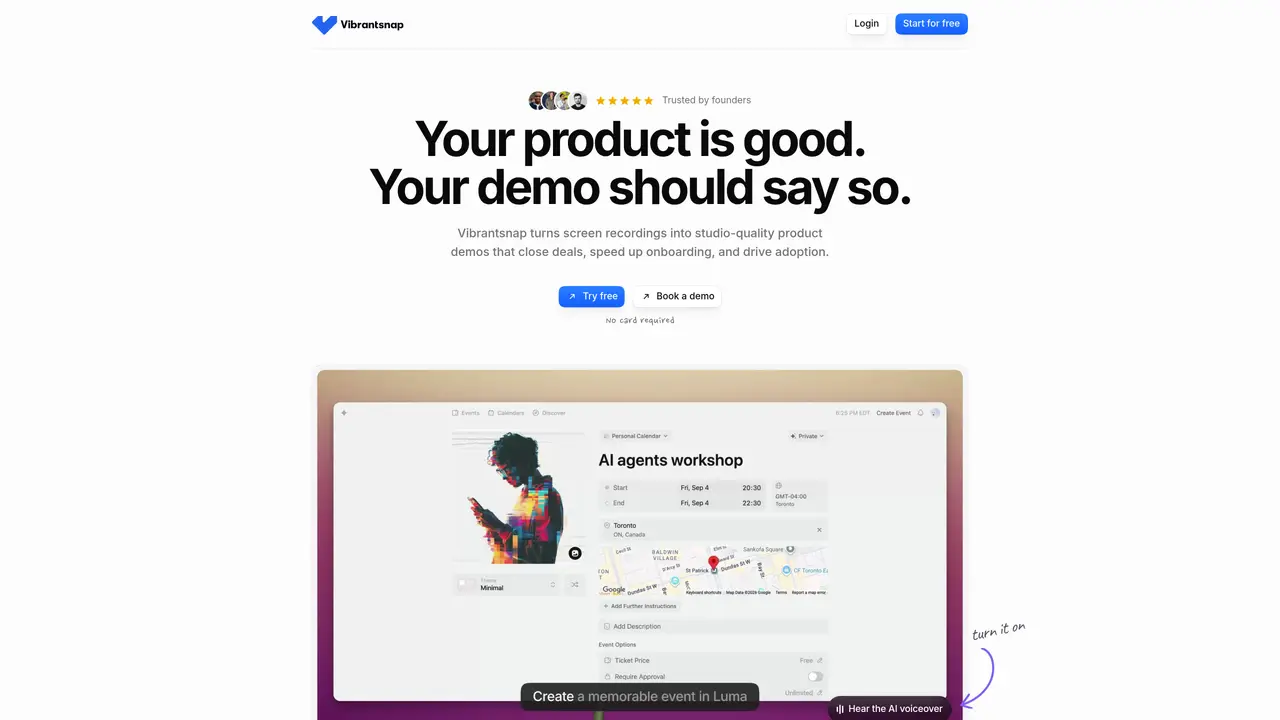
Vibrantsnap transforms screen recordings into professional product demos by automating editing, adding AI voiceovers, and generating captions. It captures screen activity, cursor movements, and audio, then applies studio-quality enhancements without requiring video editing skills. The tool splits recordings into editable chapters, applies timed zooms to clicks, and offers natural voices in multiple languages. Demos can be shared via links or embedded on websites, with analytics tracking views and drop-off points. It supports both live recordings and uploaded videos, though automatic zooms require a Chrome extension. Exports are available in 1080p or 4K resolution, depending on the plan.
Vibrantsnap converts screen recordings into polished product demos by automating editing, adding AI voiceovers, and generating captions. It enhances recordings with studio-quality improvements, splits them into editable chapters, and applies timed zooms to clicks.
The tool is designed for teams and individuals who need to create professional product demos, onboarding tutorials, sales pitches, or bug reports without requiring video editing skills.
A Chrome extension is required to capture cursor movements and enable automatic zooms. Alternatively, users can upload existing videos, though automatic zooms won't be applied.
Yes, the AI rewrites narration into a clean script and reads it in a studio voice, removing hesitations and rambling. However, it cannot fix recordings where the necessary content was not shown.
Yes, demos can be shared via links or embedded on websites, with analytics tracking views and drop-off points to provide insights into viewer engagement.
Exports are available in 1080p or 4K resolution, depending on the plan selected by the user.
vibrantsnap.com · third-party estimates from Similarweb
Last 4 months · grows by one month every month
Share of visits by channel
Share of visits · estimated visits
Other countries: 43.4%
Video & Animation · Sep 2026
Traffic figures are third-party estimates, good for scale and trends; they can differ from a company's own numbers. Updated monthly.
We use essential cookies to run aitoolnavio™, and optional cookies to analyze traffic and measure our marketing. You choose what we use — optional cookies stay off unless you turn them on. See our Privacy Policy.
One short email a week: fresh tools worth trying, honest takes and the updates that actually matter. No spam, unsubscribe any time.
AI-powered video messaging tool that records, shares, and manages video messages with AI-generated titles, summaries, and tasks.
Unleash creativity: edit photos, videos, and designs with AI-enhanced tools.
Record lectures, create tutorials, and securely share videos with teams.
Create stunning videos in a few clicks, customize with powerful tools, and automate editing without experience.
Create, convert, and enhance videos effortlessly with professional effects and royalty-free music.
Create marketing videos quickly, customize with templates, music, and photos, optimize for different platforms with AI.
Automate video editing, add text-to-speech voice-overs, and optimize videos for impactful results.
Freemium, uncensored AI video and image creation for individual creators with text-to-video, image effects, and gem-based upgrades for HD and no watermarks.
Create, edit, subtitle, and translate pro-grade videos instantly.
Cloudinary provides APIs and tools to integrate, manage, and optimize images and videos for AI-driven visual experiences.
All-in-one AI suite for creators to automate workflows, edit media, and generate content across video, design, and productivity tools.
Generate cinematic video clips from text or images and refine them with AI-powered editing tools for creators and visual professionals.
Matched on what this tool does — grouped by the job you would be replacing.
matches AI voiceover generation · Auto-editing with cursor tracking · Multi-language natural voices
AI platform that turns screen recordings into interactive demos, videos, and visuals with AI voiceovers and editing—no designers required.
Transforms screen recordings into interactive product demos with AI-generated instructions, voiceovers, and captions in up to 20 languages.
Turns silent screen recordings into polished, narrated tutorials with AI voiceovers and auto-syncing in minutes.
Turn messy screen recordings into polished, personalized walkthroughs.
matches AI voiceover generation · Multi-language natural voices
matches Auto-editing with cursor tracking · Timed captions and zooms · 4K and 1080p exports
Create podcasts, audiobooks, and voiceovers, customize voice style, and generate natural speech from text.
Create ultra-realistic AI voices for voiceovers, content creation, and applications via voice cloning and text-to-speech.
Instantly generate natural-sounding voiceovers by cloning your voice within Descript’s editing workflow.
AI-powered talking-head video editor that automates cuts, captions and zooms for product launches
MacOS software that turns screen recordings into polished demos and tutorials with auto-zoom, captions, and AI voiceovers.
Records and edits product demo videos using an AI agent on macOS