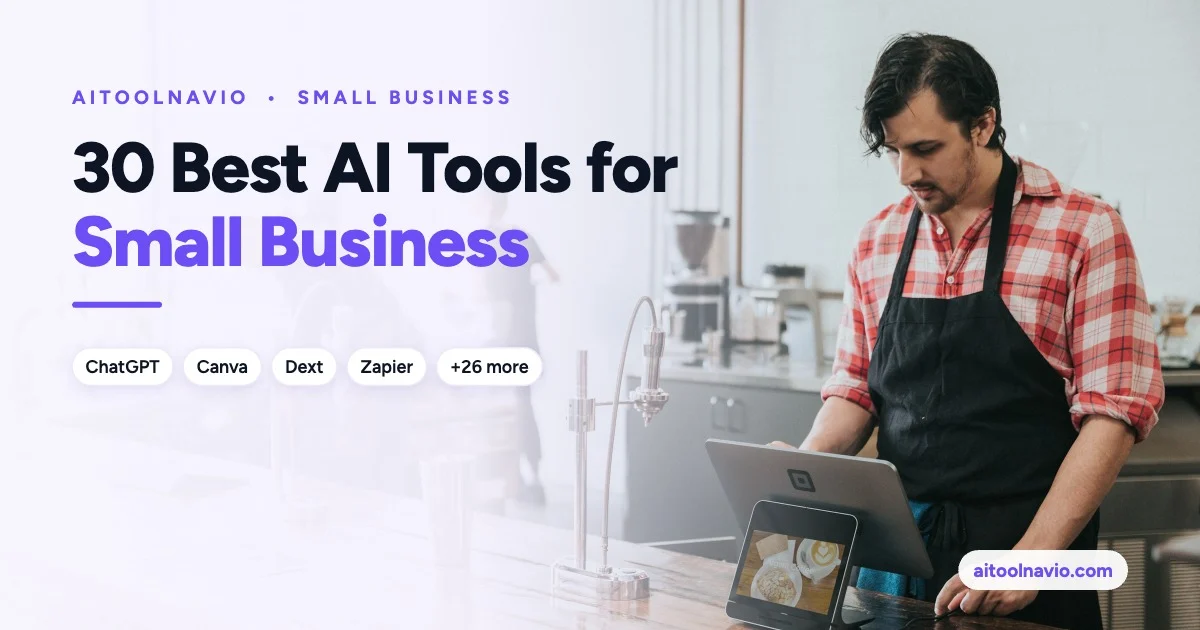
30 Best AI Tools for Small Business in 2026 (By Job, Not by Hype)
Thirty AI tools a US small business can start using this month, grouped by the job they do, from marketing and support to bookkeeping and automation.
Most small business owners don’t need “an AI strategy.” They need the invoices entered, the reviews answered, the Instagram post out the door, and the same customer question answered for the fortieth time without them. That’s the lens for this list.
We picked 30 AI tools from the Aitoolnavio directory that a US small business with 1 to 50 people can realistically start using this month. They’re grouped by the job they do, so you can skip straight to the part of your business that eats the most hours.
Quick picks if you only read one section:
- One assistant for everything: ChatGPT or Claude
- Already on Microsoft 365 or Google Workspace: Copilot for Microsoft 365 or Gemini
- Marketing graphics: Canva
- Customer support on your website: Lyro by Tidio
- Bookkeeping busywork: Dext
- Meeting notes: Fathom
- Connecting it all together: Zapier
How we put this list together
Every tool here has a live listing on Aitoolnavio, and every link in this post goes to that listing, where you’ll find current pricing, features, screenshots, and alternatives. We chose tools against four questions:
- Does it save a small team real hours on a recurring task? Novelty tools didn’t make the cut.
- Can a non-technical owner set it up in an afternoon? No developers, no six-week onboarding.
- Is there a free plan or free trial? Nearly everything here can be tried before you pay.
- Does it work with the software US small businesses already run on? Think Microsoft 365, Google Workspace, Shopify, Xero, and QuickBooks.
What this list is not: a lab benchmark. We didn’t run every tool against every other tool on identical tasks, and pricing changes often. That’s why we don’t quote dollar amounts in this post. Check each tool’s listing for current plans before you buy. If terms like “freemium” and “free trial” blur together, see AI Pricing Explained.
1. All-purpose AI assistants
Start here. One good assistant covers drafting emails, rewriting a job post, summarizing a contract, building a spreadsheet formula, and brainstorming a promotion. Most small businesses need exactly one of these, not three.
ChatGPT
ChatGPT is the default choice for a reason: it handles writing, analysis of uploaded files, image generation, and web search in one place. The business plans keep your company’s data out of model training and add shared workspaces, which matters once more than one person is using it.
Best for: owners who want one tool that does a bit of everything. Free option: Yes, with limits.
Claude
Claude is especially strong at long documents and careful writing. Drop in a 60-page lease, a vendor agreement, or a stack of customer survey responses and ask for the parts that matter. Its Projects feature lets you store your price list, brand voice, and FAQs once so every answer starts from your own information.
Best for: writing-heavy work, contracts, policies, and long reports. Free option: Yes, with limits.
Gemini
If your business runs on Gmail, Google Docs, Sheets, and Drive, Gemini is the path of least resistance. It works inside the apps you already have open, so you can summarize an email thread or draft a proposal in Docs without copying and pasting between tabs.
Best for: Google Workspace businesses. Free option: Yes.
Copilot for Microsoft 365
Copilot for Microsoft 365 is the Microsoft equivalent. It lives in Outlook, Word, Excel, PowerPoint, and Teams, and it can pull context from your company’s files and email. If your accountant, your office manager, and your sales rep all live in Outlook and Excel, this is the one to evaluate first.
Best for: Microsoft 365 businesses. Free option: A free Copilot app exists; the in-app business features are a paid add-on.
Perplexity AI
Perplexity AI is a research engine that answers with its sources listed, so you can check the claim before you act on it. Use it for vendor research, competitor pricing checks, local regulations, and “what’s the going rate for X in my state” questions.
Best for: quick, sourced research. Free option: Yes.
2. Marketing, content, and social media
Canva
Canva is where most small businesses make their flyers, social posts, menus, and presentations, and its AI features now write copy, generate images, remove backgrounds, and resize one design into a dozen formats. Set up a Brand Kit with your logo, fonts, and colors once, and everyone on the team stays on-brand.
Best for: anyone making marketing graphics without a designer. Free option: Yes.
Jasper
Jasper is built for marketing copy: ads, landing pages, product descriptions, and email campaigns. Its advantage over a general assistant is structure. You load your brand voice and product details once, and every campaign draft starts from them.
Best for: businesses producing a steady flow of marketing copy. Free option: Free trial.
Grammarly
Grammarly catches the typo in the client proposal before the client does. Beyond grammar, it rewrites for tone and clarity and works across email, browsers, and most desktop apps. It’s a low-effort upgrade for every customer-facing message your team sends.
Best for: teams that write to customers all day. Free option: Yes.
Buffer AI Assistant
The Buffer AI Assistant sits inside Buffer’s social media scheduler. It turns one idea into posts for Facebook, Instagram, LinkedIn, and more, then schedules them for the week. If social media keeps sliding to the bottom of your list, batching it once a week with this tool is the fix.
Best for: owners who handle their own social media. Free option: Yes.
3. Email marketing
Mailchimp
Mailchimp is still the easiest place to start an email newsletter. Its AI tools help write subject lines and campaign copy, suggest the best send time, and segment your list based on customer behavior.
Best for: local businesses and service providers starting a newsletter. Free option: Yes, for small lists.
Klaviyo
For online stores, Klaviyo is the stronger choice. It connects to Shopify and other e-commerce platforms, predicts which customers are likely to buy again, and runs abandoned-cart and win-back emails and texts automatically.
Best for: e-commerce brands. Free option: Yes, for small lists.
4. Customer service
A support bot is worth it once you’re answering the same 20 questions every week: hours, shipping, returns, pricing, booking. Both tools below answer from your own help content, and both hand off to a human when they can’t help.
Lyro by Tidio
Lyro by Tidio is the small business pick. Point it at your FAQ page, and it starts answering website chat questions in minutes. It works well with Shopify and WordPress sites.
Best for: small online stores and service businesses. Free option: Yes, with a limited number of conversations.
Fin by Intercom
Fin by Intercom is the more capable option for busier support teams. It resolves questions across chat and email and charges based on conversations it actually resolves, so you pay for results, not seats.
Best for: growing businesses with a real support queue. Free option: Free trial.
5. Sales, CRM, and reviews
Apollo.io
Apollo.io combines a large B2B contact database with email sequencing. If you sell to other businesses, you can find the right person at a target company, get their work email, and send a personalized sequence from one screen.
Best for: B2B businesses doing their own outreach. Free option: Yes.
Pipedrive
Pipedrive is a sales CRM designed around a visual deal pipeline, and its AI sales assistant flags deals going cold and suggests next steps. It’s simple enough that a two-person sales team will actually keep it updated.
Best for: small sales teams that have outgrown a spreadsheet. Free option: Free trial.
BirdEye
For local businesses, reviews drive walk-ins. BirdEye collects reviews across Google, Facebook, and other sites into one inbox, drafts replies with AI, and sends review requests after each visit or job.
Best for: restaurants, clinics, home services, and multi-location businesses. Free option: Contact for pricing.
6. Bookkeeping and finance
Xero
Xero is cloud accounting software popular with small businesses and their accountants. Its AI features help match bank transactions, flag anomalies, and answer questions about your numbers in plain English.
Best for: businesses choosing or switching accounting software. Free option: Free trial.
Dext
Dext removes the most hated job in small business finance: typing up receipts and bills. Snap a photo or forward an email, and it extracts the vendor, date, amount, and tax, then pushes it into QuickBooks or Xero. Come tax season, everything is already filed.
Best for: anyone with a shoebox of receipts. Free option: Free trial.
7. Meetings, scheduling, and admin
Fathom
Fathom joins your Zoom, Google Meet, or Microsoft Teams calls, records them, and sends a summary with action items when the call ends. The free plan is generous enough for most small teams.
Best for: client calls and sales calls. Free option: Yes.
Otter AI
Otter AI does live transcription and summaries for online meetings, and it can also record in-person conversations from your phone. That makes it useful for site visits, interviews, and consultations, not just video calls.
Best for: in-person and online meetings. Free option: Yes.
Calendly
Calendly ends the “does Tuesday work?” email chain. Customers book open slots on your calendar, get automatic reminders, and can even pay a deposit at booking. Fewer no-shows, fewer emails.
Best for: appointment-based businesses and consultants. Free option: Yes.
Notion AI
Notion AI turns your company wiki into something people actually use. Store your SOPs, onboarding docs, and meeting notes in Notion, and anyone can ask a question like “What’s our refund policy for custom orders?” and get the answer from your own pages.
Best for: documenting how your business runs. Free option: Yes.
8. Websites, branding, and product photos
Wix ADI
Wix ADI builds a starter website from a short questionnaire about your business, then lets you edit everything with Wix’s drag-and-drop editor. Booking, online store, and email marketing add-ons are all built in.
Best for: businesses that need a professional site this week. Free option: Yes, with Wix branding.
Durable
Durable generates a complete website for a service business in under a minute, and bundles a simple CRM, invoicing, and a blog. It’s aimed squarely at contractors, cleaners, trainers, and other solo operators.
Best for: solo service providers. Free option: Paid, with a trial.
Looka
Looka designs logo options from your business name and style preferences, then builds a matching brand kit with business cards, social media assets, and email signatures.
Best for: new businesses without a brand yet. Free option: Free to design; you pay to download.
Photoroom
Photoroom turns phone photos into clean product shots by removing and replacing backgrounds in bulk. It’s a staple for Etsy, eBay, Amazon, and Shopify sellers who can’t afford a product photographer for every new item.
Best for: online sellers. Free option: Yes, with limits.
9. Video
Descript
Descript lets you edit video by editing its transcript. Delete a sentence from the text, and it’s gone from the video. It also removes filler words and cleans up audio, which makes it the fastest way for a non-editor to produce customer testimonials, how-to videos, and podcast episodes.
Best for: marketing and how-to videos. Free option: Yes.
Synthesia
Synthesia creates presenter-style videos from a script using AI avatars, in dozens of languages. Small businesses use it for employee training, onboarding, and product walkthroughs that need updating without a reshoot.
Best for: training and onboarding videos. Free option: Free trial.
10. Automation and AI agents
Zapier
Zapier connects thousands of apps so work moves between them automatically: a new web form lead goes into your CRM, gets a welcome email, and pings your phone. With AI steps, it can also sort, summarize, or draft replies along the way.
Best for: gluing your tools together. Free option: Yes.
Lindy
Lindy lets you build AI agents that handle recurring admin: triaging your inbox, drafting replies, scheduling meetings, and qualifying inbound leads. Think of it as a virtual assistant you configure in plain English.
Best for: owners buried in email and admin. Free option: Contact for pricing.
Comparison table: all 30 tools at a glance
| Tool | Job | Best for | Free option |
|---|---|---|---|
| ChatGPT | All-purpose assistant | One tool for everything | Yes |
| Claude | All-purpose assistant | Long documents, careful writing | Yes |
| Gemini | All-purpose assistant | Google Workspace businesses | Yes |
| Copilot for Microsoft 365 | All-purpose assistant | Microsoft 365 businesses | Paid add-on |
| Perplexity AI | Research | Sourced answers | Yes |
| Canva | Marketing design | Graphics without a designer | Yes |
| Jasper | Marketing copy | On-brand campaigns | Trial |
| Grammarly | Writing | Customer-facing messages | Yes |
| Buffer AI Assistant | Social media | DIY social posting | Yes |
| Mailchimp | Email marketing | First newsletter | Yes |
| Klaviyo | Email and SMS | E-commerce stores | Yes |
| Lyro by Tidio | Customer service | Small stores and services | Yes |
| Fin by Intercom | Customer service | Busier support teams | Trial |
| Apollo.io | Sales prospecting | B2B outreach | Yes |
| Pipedrive | CRM | Small sales teams | Trial |
| BirdEye | Reviews | Local businesses | Contact |
| Xero | Accounting | Cloud bookkeeping | Trial |
| Dext | Receipts and bills | Killing data entry | Trial |
| Fathom | Meeting notes | Client and sales calls | Yes |
| Otter AI | Transcription | In-person and online meetings | Yes |
| Calendly | Scheduling | Appointment-based businesses | Yes |
| Notion AI | Knowledge base | SOPs and onboarding | Yes |
| Wix ADI | Website | A site this week | Yes |
| Durable | Website and CRM | Solo service providers | Trial |
| Looka | Logo and brand | New businesses | Free to design |
| Photoroom | Product photos | Online sellers | Yes |
| Descript | Video editing | Marketing videos | Yes |
| Synthesia | AI avatar video | Training videos | Trial |
| Zapier | Automation | Connecting apps | Yes |
| Lindy | AI agents | Inbox and admin | Contact |
“Free option” reflects each tool’s plans at the time of writing. Check the listing for current pricing.
How to get started without wasting money
- Pick your most painful recurring task. Write down the three jobs that eat the most hours each week. Start with one tool for one of them.
- Use the free plan or trial for two real weeks. Test it on actual work, not demo prompts. If it doesn’t save time by week two, cancel it.
- Start with one assistant, not five. ChatGPT, Claude, Gemini, or Copilot will cover a surprising share of the writing and analysis on this list.
- Protect customer data. Use business plans that keep your data out of model training, and don’t paste Social Security numbers, card numbers, or health information into any AI tool.
- Keep a human in the loop. Review anything AI writes before it reaches a customer, and double-check numbers before they reach your accountant or the IRS.
- Add automation last. Once two or three tools are working, use Zapier to connect them so the handoffs happen on their own.
Frequently asked questions
What is the best AI tool for a small business? For most small businesses, the best first tool is a general assistant: ChatGPT, Claude, Gemini, or Copilot for Microsoft 365. Pick the one that fits the software you already use. After that, add a tool for your biggest time drain, such as Dext for receipts or Lyro by Tidio for customer questions.
Are there free AI tools for small business? Yes. ChatGPT, Claude, Gemini, Perplexity AI, Canva, Grammarly, Mailchimp, Fathom, Otter AI, Calendly, Notion AI, and Zapier all have free plans. Browse more on our free AI tools page.
Is it safe to put business data into AI tools? It depends on the plan. Business and enterprise plans from the major AI vendors generally exclude your data from model training and offer admin controls. Read the privacy terms before uploading customer or financial data, and keep sensitive personal information out entirely.
How much should a small business spend on AI tools? Start at zero. Nearly every tool on this list has a free plan or trial. Pay only for the tools that are clearly saving time after two weeks of real use.
Can AI replace an employee at a small business? AI is better at replacing tasks than people. It can take over first drafts, data entry, meeting notes, and repetitive customer questions, which frees your team for the work customers actually pay for.
Related reading
- The 100 Best AI Tools in 2026
- ChatGPT vs Claude vs Gemini
- AI Tool Pricing Explained
- New AI Tools: September 2026
- Business and Marketing AI Tools
- Finance and Accounting AI Tools
- Customer Support AI Tools
- Compare AI Tools Side by Side
Sources
Product information was drawn from each tool’s official website and product documentation, and from each tool’s Aitoolnavio listing: OpenAI (ChatGPT), Anthropic (Claude), Google (Gemini), Microsoft (Copilot for Microsoft 365), Perplexity, Canva, Jasper, Grammarly, Buffer, Intuit Mailchimp, Klaviyo, Tidio, Intercom, Apollo.io, Pipedrive, Birdeye, Xero, Dext, Fathom, Otter.ai, Calendly, Notion, Wix, Durable, Looka, Photoroom, Descript, Synthesia, Zapier, and Lindy.
Liked this? We do one every Friday.
The week's new AI tools, what each one actually does, and the ones worth your time — written the same way as this post.
One email a week · unsubscribe in one click