Summarizes, extracts, and rewrites content from files.
89M visits/mo+8.7%#2 Productivity & Office

AI invoice and receipt processing for accounting teams that captures documents from email, extracts key fields with OCR, and exports structured data.
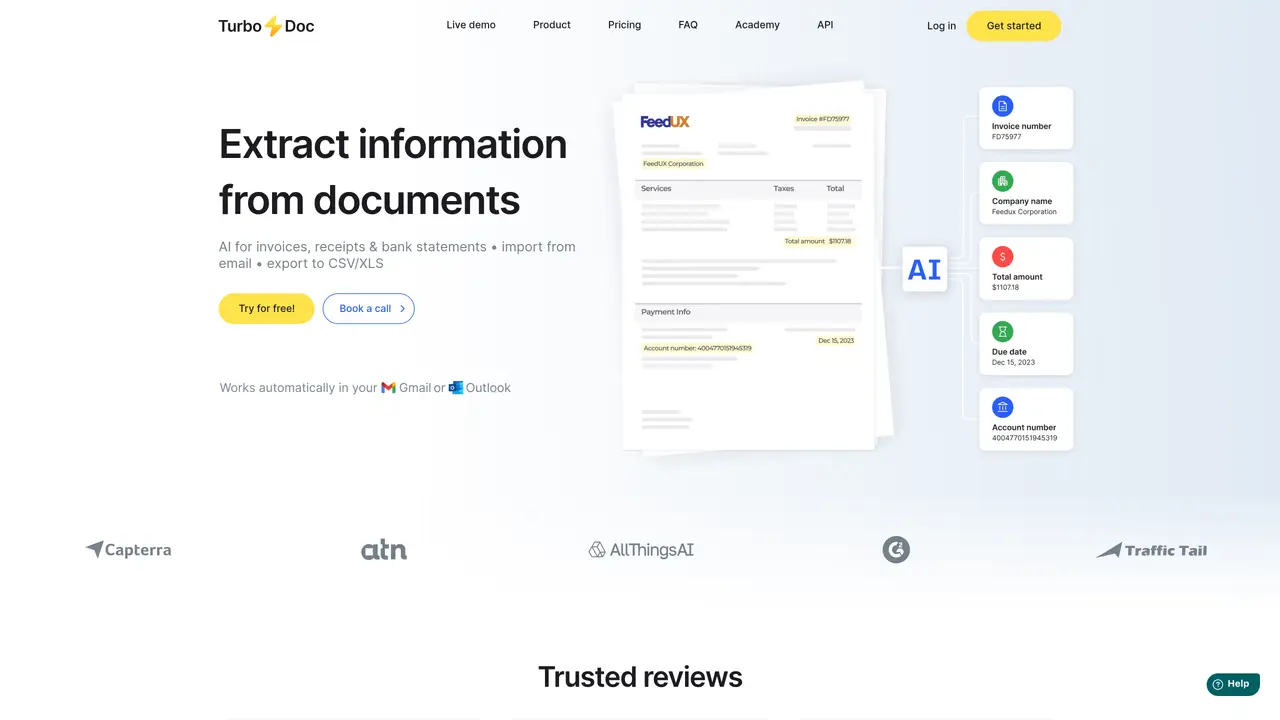
TurboDoc is a web-based AI document processing platform designed for finance and accounts payable teams. It converts invoices, receipts, and bank statements into structured data for bookkeeping and reporting. The tool automatically captures documents by connecting to Gmail or Outlook, extracting key fields such as company details, invoice number, dates, total amounts, and payment details using AI and OCR technology. Users can review extracted fields on a centralized dashboard, edit and correct values, and organize documents for audit or accounting purposes. TurboDoc supports exports in CSV/XLS formats and offers API-based integrations with accounting software and other systems. The platform emphasizes security with AES256 encryption for stored data and is trained on a large corpus of documents to ensure accurate extraction across varied invoice formats. It is particularly suited for accountants and finance teams looking to streamline document processing workflows and reduce manual data entry errors.
Users can experiment with the demo available on the website to see how invoice data extraction works. For a more comprehensive experience, signing up for a free trial account provides full access to all features.
Yes. Clicking a row in the dashboard table opens the original document alongside the extracted data, allowing users to verify and edit fields if corrections are needed.
Automating invoice processing streamlines accounts payable workflows by eliminating manual data entry, reducing errors, and enabling staff to focus on higher-value tasks. It also helps avoid late payments and duplicate entries, and may allow businesses to take advantage of early payment discounts.
The system includes advanced image processing algorithms to handle documents of varying quality. However, using clear and legible images improves accuracy in data extraction.
Yes, all users receive comprehensive technical support. Pro and Business plan subscribers benefit from premium support, which includes faster and prioritized assistance.
TurboDoc supports document processing in English, Spanish, German, French, Italian, Dutch, Portuguese, and Catalan. For languages not listed, users can contact support for assistance.
turbodoc.io · third-party estimates from Similarweb
Last 4 months · grows by one month every month
Share of visits · estimated visits
Productivity & Office · Sep 2026
Traffic figures are third-party estimates, good for scale and trends; they can differ from a company's own numbers. Updated monthly.
We use essential cookies to run aitoolnavio™, and optional cookies to analyze traffic and measure our marketing. You choose what we use — optional cookies stay off unless you turn them on. See our Privacy Policy.
One short email a week: fresh tools worth trying, honest takes and the updates that actually matter. No spam, unsubscribe any time.
Summarizes, extracts, and rewrites content from files.
Automate citation and reference management, aid research with text and data mining, and securely store and share documents.
Capture, organize, and share ideas, notes, and documents effortlessly.
Headless CMS that lets developers manage structured content and deliver it anywhere via flexible APIs and real-time collaboration tools.
Efficiently create and manage cases, streamline workflows, securely store and share documents, and collaborate with colleagues.
Access files, collaborate, and secure your data with unbeatable customizable system.
An AI-powered PDF editor and converter for editing, OCR, signing, annotating, merging, and chatting with documents across devices.
Browser-based PDF editor that edits, signs, converts, merges, compresses, and shares files, with AI for form filling, document chat, and PDF creation.
Securely store, access, and search documents from any device with ease.
Create and customize legal documents, consult lawyers, and access legal guides all in one platform.
Centralize brand assets, automate approvals, and collaborate with external partners in a single digital asset management platform.
AI diagramming and documentation tool for engineering teams to create and update cloud architecture, ERDs, and flowcharts from prompts, code, and CI/CD workflows.
Matched on what this tool does — grouped by the job you would be replacing.
matches AI + OCR extraction of key invoice and receipt fields · Automatic document capture from Gmail or Outlook · CSV/XLS export and API-based integrations
A bookkeeping automation platform that captures receipts, invoices, and statements, extracts data, and syncs to accounting software for SMBs and accounting firms.
AI invoice automation that scans inboxes and portals, extracts fields, applies rules, and syncs to QuickBooks, Xero, and Drive for accounting teams.
AI receipt scanner and expense tracker that extracts receipt data, auto-categorizes spend, matches bank transactions, and exports tax-ready reports.
An AI bookkeeping assistant that extracts receipt, invoice, and bank statement data, categorizes expenses, detects duplicates, and exports to CSV/Excel for small businesses and finance teams.
matches AI + OCR extraction of key invoice and receipt fields · Centralized dashboard for review, editing, and organization · AES256 encryption for data security
Maximize data extraction efficiency with AI-powered precision, OCR, and customizable templates.
AI-powered document scanning and OCR for finance and operations teams to extract, validate, and structure data from invoices and business documents.
Web-based Document AI that automates PDF and image data extraction, turning unstructured files into structured data via API, CSV, or JSON exports.
Intelligent document management system using OCR for processing and organizing files