
Convert PDFs to Word, Excel, PowerPoint, HTML, merge multiple PDFs, and extract images.
2.2M visits/mo+5.4%#35 Productivity & Office
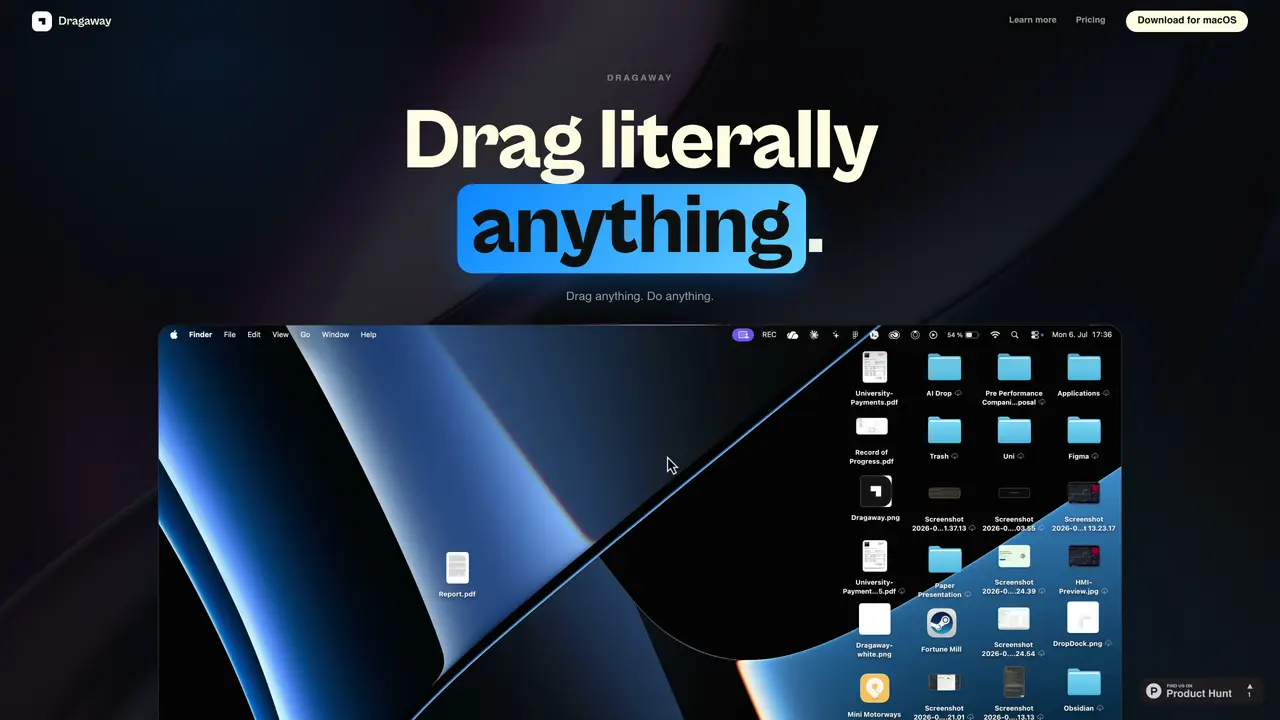
Dragaway is a macOS utility that turns drag-and-drop gestures into file actions and AI-powered workflows. It allows users to perform tasks such as merging and splitting PDFs, comparing documents, summarizing text, translating content, erasing metadata, compressing media, extracting audio, charting CSV data, converting file formats, and drafting emails. The application operates locally by default, keeping files on the user’s device unless optional AI features are used. When AI is involved, users can choose their own provider keys, ensuring requests bypass Dragaway’s servers. Supported formats include text, PDF, images, video, audio, CSV, JSON, and spreadsheets. Core features work without additional permissions, while optional access can enhance certain integrations. The tool also includes a radial launcher for quick app integration and clipboard history for pasting recent items.
Dragaway is a macOS utility that turns drag-and-drop gestures into file actions and AI-powered workflows. It allows users to perform tasks such as merging and splitting PDFs, comparing documents, summarizing text, translating content, erasing metadata, compressing media, extracting audio, charting CSV data, converting file formats, and drafting emails.
Dragaway is designed for macOS users who frequently work with files and need quick, local file utilities, AI-powered transformations, and seamless integrations with other apps. It suits professionals, developers, and creatives who rely on drag-and-drop workflows.
Dragaway operates locally by default, keeping files on the user’s device unless optional AI features are used. When AI is involved, users can choose their own provider keys, ensuring requests bypass Dragaway’s servers. The tool does not access or store file content during AI interactions.
Yes, Dragaway allows users to integrate their own AI provider keys, such as those for Gemini, Claude, GPT, Groq, or Ollama. Requests are sent directly to the chosen provider, and Dragaway does not receive or log the content of those requests.
Dragaway supports a wide range of formats, including text files (.pdf, .txt, .md, .rtf, .docx), code files (.swift, .js, .ts, .py, .html, .css), media files (.png, .jpg, .heic, .mov, .mp4, .mp3), and data files (.csv, .json, .xlsx). It also supports local actions like converting, compressing, and extracting content from these formats.
To get started, download Dragaway from its official website or GitHub and install it on your macOS device. Once installed, you can begin dragging files directly into the app to perform actions or use the radial launcher and clipboard history for quick access to workflows.
We use essential cookies to run aitoolnavio™, and optional cookies to analyze traffic and measure our marketing. You choose what we use — optional cookies stay off unless you turn them on. See our Privacy Policy.
One short email a week: fresh tools worth trying, honest takes and the updates that actually matter. No spam, unsubscribe any time.
Convert PDFs to Word, Excel, PowerPoint, HTML, merge multiple PDFs, and extract images.
End-to-end encrypted file sharing with built-in AI editing for photos, videos, and documents.
Free online directory offering AI-powered file editing tools for PDFs, images, videos, QR codes, and text.
A browser-based media management platform for storing, searching, and collaborating on photos, videos, and design files with AI tagging.
Secure cloud storage and organization tool with encryption and authentication for remote access and collaboration.
Converts PDF, Word, Excel and images to AI-ready Markdown in-browser
AI-powered desktop app that renames and organizes files by analyzing content with a local LLM for privacy-preserving file management.
Mac-only AI tool that automatically sorts files into a personalized folder system without reading file contents.
macOS app that renames screenshots and files by content and provides private, offline search for Mac users.
Browser-based PDF tools for merging, compressing, converting and editing files
Online converter turning PDF, Word and other files into clean Markdown for AI workflows
Web-based file converter that transforms documents into clean Markdown for AI workflows
Matched on what this tool does — grouped by the job you would be replacing.
matches Merge and split PDFs · Compress media and convert file formats · OCR screenshots and chart CSV data
Browser-based PDF tools for merging, compressing, converting and editing files
Browser-based PDF processing and conversion tools
Privacy-first online PDF toolkit with 90+ browser-based tools and 4 AI features
Suite of 37 browser-based tools for PDF and image editing without uploads
matches Compare and summarize documents · Transcribe audio and video · Extract metadata
matches Clipboard history and local file utilities · Radial launcher for Figma, Word, Notion, etc.
Read smarter with Free AI PDF Reader!
AI assistant that analyzes documents like PDFs and contracts, answers questions in plain language, and extracts insights for faster understanding.
On-device AI actions for macOS via drag-and-drop in Finder
Converts PDFs, images and Office files into structured JSON, CSV or Excel with AI-powered OCR and field extraction.
Mac command center with local AI, window management and clipboard history
Local-first AI assistant for Mac that captures notes, transcribes meetings, and provides context-aware chat
Mac clipboard manager with history, screenshot OCR, and on-device AI
Mac clipboard manager with on-device AI actions for text and screenshots