Generate content, correct spelling, suggest synonyms to enhance writing.
173M visits/mo+0.1%#1 Productivity & Office

Native macOS menu bar tracker for AI usage limits, resets and spend across 47+ providers
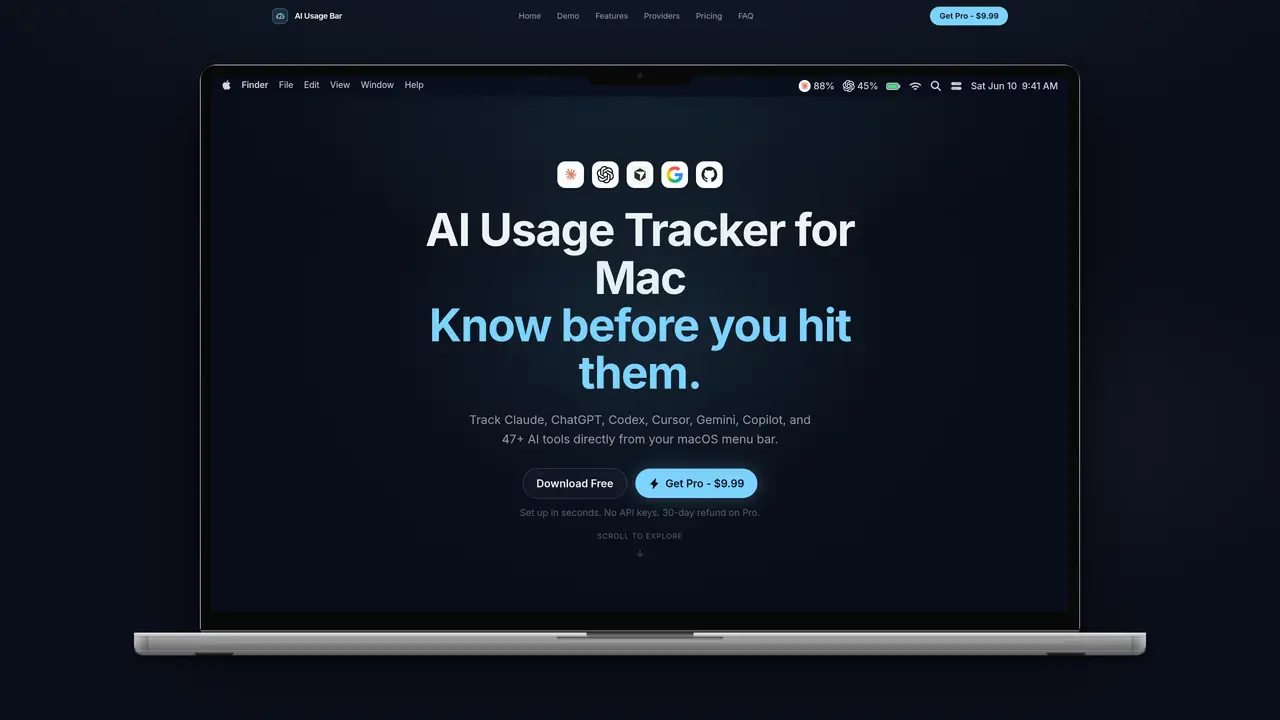
AIUsageBar is a lightweight macOS application that monitors usage limits, reset timers and monthly spend for 47+ AI tools directly from the menu bar. It supports providers such as Claude, ChatGPT, Cursor, Copilot, Gemini, Groq, DeepSeek and Windsurf, displaying live session and weekly usage percentages alongside remaining capacity and reset countdowns. The tool provides real-time alerts at 75% and 90% usage thresholds to prevent interruptions, and tracks actual spend across all connected providers rather than relying on manual checks. Setup requires no API keys or configuration files, connecting tools in seconds through a guided process. The native Swift app is designed to be unobtrusive, consuming minimal system resources while remaining always accessible. A free tier supports basic Claude tracking, while the paid version unlocks full multi-provider monitoring, spend tracking and smart notifications across two Macs with a one-time purchase and 30-day refund policy.
Manually checking usage across multiple AI providers is time-consuming and error-prone, especially when juggling multiple tools. AIUsageBar provides real-time, centralized tracking of limits, resets, and spend directly from the menu bar, eliminating the need to open dashboards or remember to check each provider.
AIUsageBar supports over 47 AI providers, including Claude, ChatGPT, Cursor, Copilot, Gemini, Groq, DeepSeek, Windsurf, OpenRouter, and more. The list continues to expand as new providers are added.
Activation is straightforward and requires no API keys or configuration files. Users connect their tools through a guided setup process, which takes seconds to complete. Once activated, the app runs natively in the macOS menu bar.
The Pro version unlocks full multi-provider monitoring, real monthly spend tracking across all tools, and smart notifications at 75% and 90% usage thresholds. It also allows use on two Macs and includes future provider updates.
A single Pro license allows use on up to two Macs. The free tier is limited to one Mac and supports basic Claude tracking only.
No, AIUsageBar does not read or access your code, conversations, or any personal data. It only tracks usage limits, reset timers, and spend for connected AI tools.
aiusagebar.com · third-party estimates from Similarweb
Last 4 months · grows by one month every month
Share of visits by channel
Share of visits · estimated visits
How people reach this site from other AI tools
22 a month · 1.4% of all visits
Productivity & Office · Sep 2026
Traffic figures are third-party estimates, good for scale and trends; they can differ from a company's own numbers. Updated monthly.
We use essential cookies to run aitoolnavio™, and optional cookies to analyze traffic and measure our marketing. You choose what we use — optional cookies stay off unless you turn them on. See our Privacy Policy.
One short email a week: fresh tools worth trying, honest takes and the updates that actually matter. No spam, unsubscribe any time.
Generate content, correct spelling, suggest synonyms to enhance writing.
Turn messy team ideas into actionable plans with Miro's visual workspace.
Leverage analytics, automate tasks, share documents, and coordinate projects.
Integrates AI into Airtable to analyze data, summarize insights, draft content, and automate workflows without prior AI experience.
Cloud accounting software that automates bookkeeping, invoicing, and financial reporting for small and growing businesses.
Streamline teamwork, manage projects, automate tasks efficiently.
Automate code, research, and documents using agents.
AI assistant for safe, reliable productivity with code, collaboration, and integrations.
Create customizable tables, databases, and spreadsheets, share data securely with team members.
Easy-to-use CRM platform that automates lead capturing, prioritizes tasks, and provides sales pipeline analytics for businesses of all sizes.
Transforms thoughts into actions, enhancing productivity and efficiency.
Write & run code in 50+ languages, auto-complete with AI, and code faster with an intuitive interface.
Matched on what this tool does — grouped by the job you would be replacing.
Paid placement · similar tools from listings that support aitoolnavio™
Instant lead response for home-service pros: your phone rings on every new lead, plus 14 days of follow-up
matches Live session and weekly usage percentages · Reset countdown timers per provider · Real monthly spend tracking
matches Real monthly spend tracking · Cross-provider headroom comparison
Minimal macOS menu bar app tracking ChatGPT Codex usage limits
Mac menu bar app showing AI plan usage limits
A macOS menu-bar app that displays ChatGPT and Codex usage limits in real time
Unified API gateway for multiple AI model providers using prepaid credits
Unified API for routing AI models with spend control and usage tracking
Unified API endpoint routing to multiple AI model providers