Generate content, correct spelling, suggest synonyms to enhance writing.
173M visits/mo+0.1%#1 Productivity & Office

Browser extension that creates, edits, and summarizes web content, images, and documents with AI assistance.
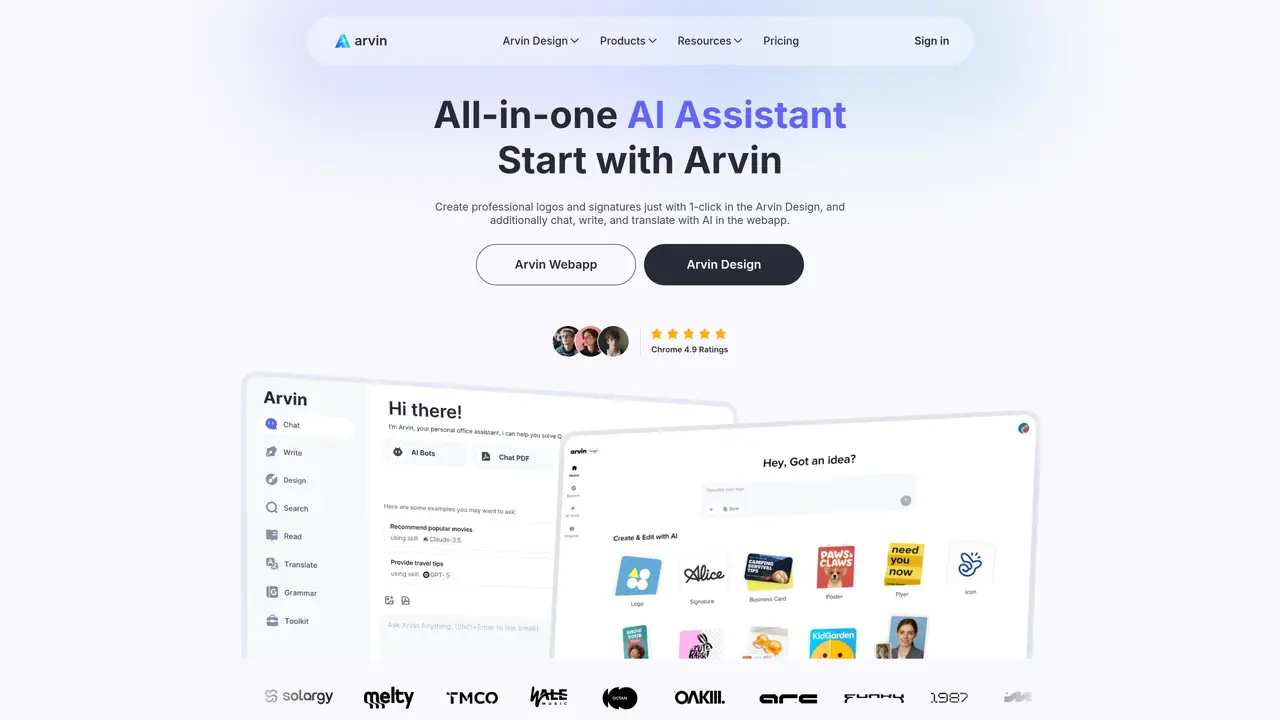
ArvinAI is a free AI chatbot Chrome extension designed as a browsing assistant for AI art, summaries, and content creation. Users can interact with Arvin to analyze and discuss uploaded PDFs, images, screenshots, and other files directly within the browser. The tool includes a code interpreter for data analysis and chart creation, enabling users to process and visualize information efficiently. Arvin supports generating articles, blogs, emails, essays, and other written content quickly, with customizable email response styles and multiple templates for different purposes. It also allows users to generate images from descriptions, edit existing images, and remove unwanted text while preserving the original quality. The extension integrates with major AI models like GPT-4, Claude, and Bard, and offers a customizable UI for a tailored user experience. While it works seamlessly with ChatGPT, its integration with external platforms is limited, and it may struggle with highly complex queries.
ArvinAI is a Chrome extension and web application that functions as an all-in-one AI assistant. It enables users to chat with multiple AI models, analyze and discuss uploaded PDFs and images, generate and edit content such as articles and emails, and create visuals including logos and images.
ArvinAI is designed for professionals, students, and general users who need an efficient AI assistant for tasks like summarizing documents, translating web content, generating written content, and creating visual designs. It is particularly useful for those who work with multiple file types and require quick, AI-powered solutions.
ArvinAI integrates with major AI models such as GPT-4o, Claude, and Gemini, allowing users to chat with these models directly within the extension or web app. It also offers features like AI-powered writing, image generation, and PDF processing, though its integration with external platforms beyond these capabilities is limited.
Yes, ArvinAI can analyze and discuss uploaded PDF files and images. Users can upload these files to the web app or extension, and Arvin will provide summaries, insights, or answers to questions about the content.
ArvinAI provides a free version with basic features, allowing users to access core functionalities such as AI chat, summarization, and translation. Additional features or higher usage limits may require a premium subscription.
To get started, users can install the ArvinAI Chrome extension from the Chrome Web Store or access the web app directly. After installation or sign-up, users can begin interacting with AI models, uploading files, and utilizing the various tools available within the platform.
arvin.chat · third-party estimates from Similarweb
Last 4 months · grows by one month every month
Share of visits · estimated visits
Other countries: 46%
Productivity & Office · Sep 2026
Traffic figures are third-party estimates, good for scale and trends; they can differ from a company's own numbers. Updated monthly.
We use essential cookies to run aitoolnavio™, and optional cookies to analyze traffic and measure our marketing. You choose what we use — optional cookies stay off unless you turn them on. See our Privacy Policy.
One short email a week: fresh tools worth trying, honest takes and the updates that actually matter. No spam, unsubscribe any time.
Generate content, correct spelling, suggest synonyms to enhance writing.
Turn messy team ideas into actionable plans with Miro's visual workspace.
Leverage analytics, automate tasks, share documents, and coordinate projects.
Integrates AI into Airtable to analyze data, summarize insights, draft content, and automate workflows without prior AI experience.
Cloud accounting software that automates bookkeeping, invoicing, and financial reporting for small and growing businesses.
Streamline teamwork, manage projects, automate tasks efficiently.
Automate code, research, and documents using agents.
AI assistant for safe, reliable productivity with code, collaboration, and integrations.
Create customizable tables, databases, and spreadsheets, share data securely with team members.
Easy-to-use CRM platform that automates lead capturing, prioritizes tasks, and provides sales pipeline analytics for businesses of all sizes.
Transforms thoughts into actions, enhancing productivity and efficiency.
Write & run code in 50+ languages, auto-complete with AI, and code faster with an intuitive interface.
Matched on what this tool does — grouped by the job you would be replacing.
Paid placement · similar tools from listings that support aitoolnavio™
Instant lead response for home-service pros: your phone rings on every new lead, plus 14 days of follow-up
matches AI chatbot for browser with file analysis (PDFs, images, screenshots) · Integration with GPT-4, Claude, and Bard
matches Content generation for articles, blogs, emails, and essays · Customizable email response styles and templates
matches Image generation from text descriptions · Image editing and text removal while preserving quality
Automate customer support, access ChatGPT platform in-browser, and effortlessly handle multiple conversations.
A Chrome extension that lets users upload PDFs, Word docs, Excel files, and images directly into ChatGPT for text extraction and analysis.
AI chatbot that answers questions, processes files, generates images, and automates research tasks.
Generate content, correct spelling, suggest synonyms to enhance writing.
Get quick copywriting help, generate marketing copy, and easily translate, explain, and rephrase web page text.
AI Doc GPT automates document generation, generates high-quality content quickly, and summarizes large documents.
Free AI writing tool that generates text for blogs, emails, ads, and more using advanced natural language processing.
AI platform for upscaling images, enhancing photos, and generating high-quality creative assets with contextual detail.
Free online directory offering AI-powered file editing tools for PDFs, images, videos, QR codes, and text.
Enhances images with AI-powered editing features.
All-in-one AI platform for chat, image, video and presentation generation