Generate content, correct spelling, suggest synonyms to enhance writing.
173M visits/mo+0.1%#1 Productivity & Office

Organize and connect Google applications, create and share documents, files, and information with drag-and-drop feature.
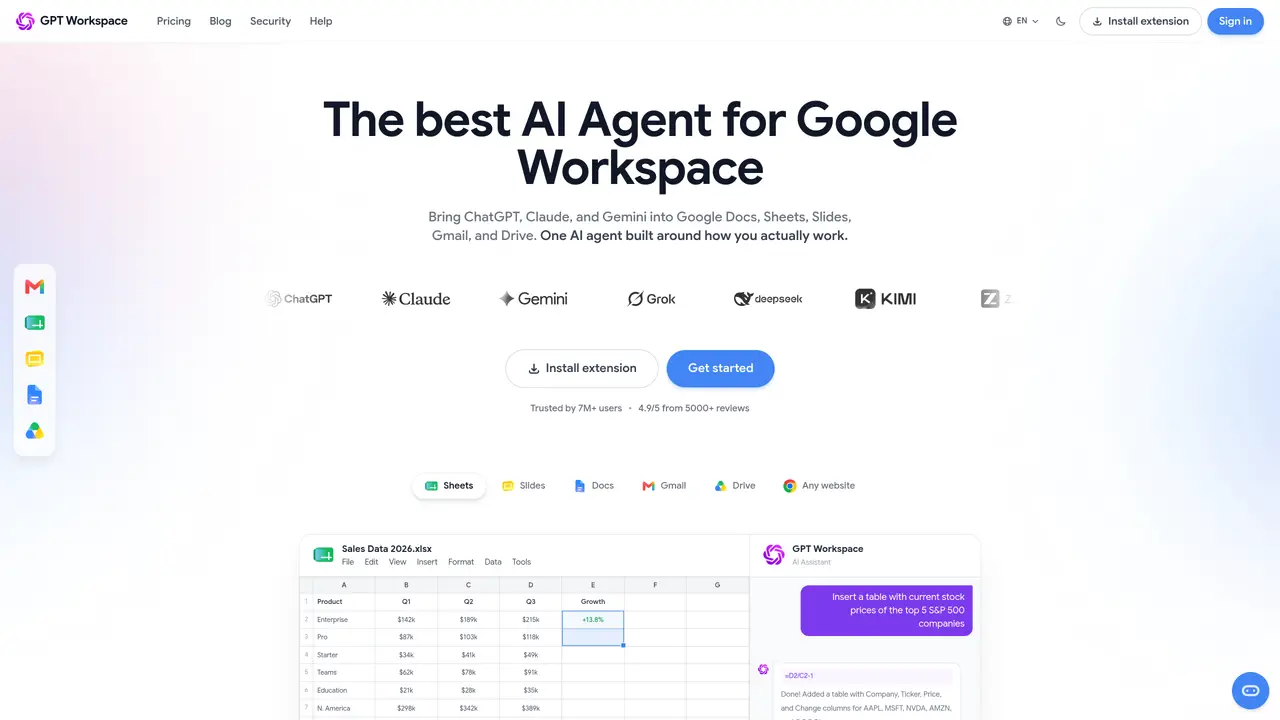
GPT Workspace is an all-in-one workspace that integrates with Google applications to help you maximize your productivity. With GPT Workspace, you can easily organize and connect your various Google applications in one convenient place. You can also create, store, and share documents, files, and other information quickly and easily. Its cloud-based platform offers secure storage and access to all your files, no matter where you are. GPT Workspace’s intuitive interface makes it easy to access the information you need, when you need it. Its drag-and-drop feature allows you to quickly move and organize files, allowing you to quickly find the information you need. Additionally, GPT Workspace allows you to collaborate in real-time, enabling you to easily work together with your colleagues. It also offers powerful tools to help you stay organized, such as task and project management, so you can keep track of your progress.
GPT Workspace integrates AI agents like ChatGPT, Claude, and Gemini directly into Google Workspace applications such as Docs, Sheets, Slides, Gmail, and Drive. It enables users to leverage AI capabilities within familiar tools to enhance productivity and workflow efficiency.
GPT Workspace is designed for professionals, teams, and organizations that rely on Google Workspace for daily operations. It suits users who need AI-powered assistance for tasks like writing, data analysis, email management, and document creation without switching between multiple tools.
GPT Workspace operates as an extension that connects to Google Docs, Sheets, Slides, Gmail, and Drive. Once installed, it provides AI-driven features such as summarizing documents, generating emails, analyzing spreadsheets, and organizing files directly within these applications.
GPT Workspace offers multiple pricing tiers tailored to different user needs, including options for individuals, teams, and educational institutions. Pricing details are available on the official website, with plans designed to scale based on usage and features required.
Yes, GPT Workspace supports real-time collaboration by allowing multiple users to work simultaneously on documents, spreadsheets, and presentations while leveraging AI tools for suggestions, automation, and content generation.
To get started, users can install the GPT Workspace extension from the official website or their browser's extension store. After installation, they can sign in and begin using AI features directly within Google Workspace applications.
We use essential cookies to run aitoolnavio™, and optional cookies to analyze traffic and measure our marketing. You choose what we use — optional cookies stay off unless you turn them on. See our Privacy Policy.
One short email a week: fresh tools worth trying, honest takes and the updates that actually matter. No spam, unsubscribe any time.
Generate content, correct spelling, suggest synonyms to enhance writing.
Turn messy team ideas into actionable plans with Miro's visual workspace.
Leverage analytics, automate tasks, share documents, and coordinate projects.
Integrates AI into Airtable to analyze data, summarize insights, draft content, and automate workflows without prior AI experience.
Cloud accounting software that automates bookkeeping, invoicing, and financial reporting for small and growing businesses.
Streamline teamwork, manage projects, automate tasks efficiently.
Automate code, research, and documents using agents.
AI assistant for safe, reliable productivity with code, collaboration, and integrations.
Create customizable tables, databases, and spreadsheets, share data securely with team members.
Easy-to-use CRM platform that automates lead capturing, prioritizes tasks, and provides sales pipeline analytics for businesses of all sizes.
Transforms thoughts into actions, enhancing productivity and efficiency.
Write & run code in 50+ languages, auto-complete with AI, and code faster with an intuitive interface.
Matched on what this tool does — grouped by the job you would be replacing.
Paid placement · similar tools from listings that support aitoolnavio™
Instant lead response for home-service pros: your phone rings on every new lead, plus 14 days of follow-up
matches Organize and connect Google applications · Create, store, and share documents, files, and information · Drag-and-drop feature for easy file organization
matches Create, store, and share documents, files, and information · Real-time collaboration capabilities
matches Task and project management tools · Real-time collaboration capabilities
Centralize knowledge, collaborate in real time, and edit documents with AI-powered tools in one cloud workspace.
AI-powered platform to centralize and streamline cloud file management and collaboration across storage services.
A 24/7 Google AI agent that automates multi-step tasks, recurring workflows, and personal productivity across Google Workspace apps.
Automate tasks, get creative suggestions, and test new AI experiences in Google Workspace.
Generate content, correct spelling, suggest synonyms to enhance writing.
AI Doc GPT automates document generation, generates high-quality content quickly, and summarizes large documents.
AI assistant that brings ChatGPT directly into Google Sheets and Docs to generate, analyze, and transform content.
Create content effortlessly, collaborate seamlessly, and enhance editing efficiency with progress tracking.
Organize and track projects, set deadlines, and gain insights with customizable boards and advanced analytics.
All-in-one project management platform for task management, team collaboration, and workflow visualization with time tracking and reporting.
Create customizable tables, databases, and spreadsheets, share data securely with team members.
An AI assistant inside ClickUp that automates project management, captures meeting notes, generates content, and searches workspace knowledge.