Generate content, correct spelling, suggest synonyms to enhance writing.
173M visits/mo+0.1%#1 Productivity & Office

Guidy, your on-screen AI assistant, shows you how to do it in real time - on your computer.
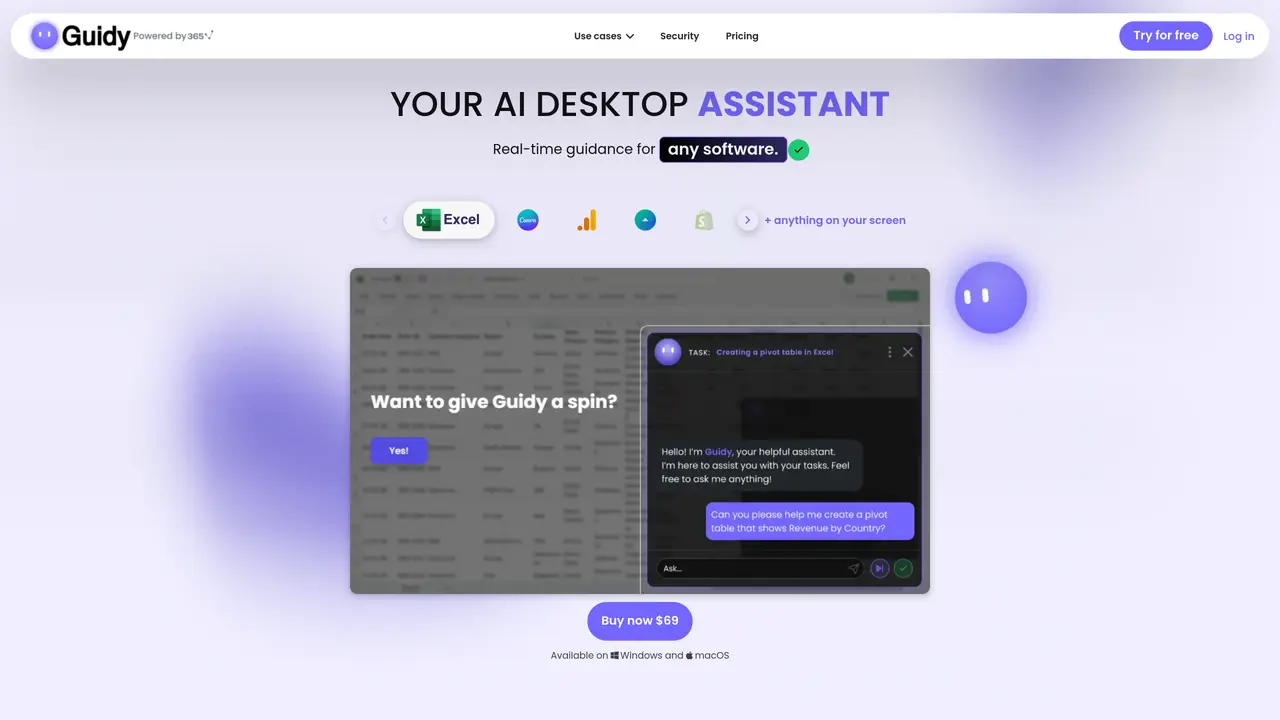
Guidy is the AI desktop assistant that steps in the moment you need it, giving you real-time guidance on your actual screen. Think of it as having a knowledgeable friend right next to you. Every day, simple tasks take longer than they should just because you don’t know where to click. An AI desktop assistant that guides you step by step beats hectic googling every time. Most AI tools connect to apps one at a time. Guidy skips all of that. It reads your screen rather than connecting to each app individually. It’s your Excel AI assistant, your Outlook AI assistant, your Google Sheets AI helper, your Microsoft Word AI editor, and anything else you have open. Guidy can work as an AI Excel formula generator that reads your actual spreadsheet and helps you write the formula you need – VLOOKUP, INDEX-MATCH, nested IFs, you name it. It also doubles as an Excel formula checker: simply paste a formula you don’t trust and Guidy explains it line by line.
Guidy is an AI desktop assistant that provides real-time guidance directly on your screen for any software or website. It reads your screen in real time and responds to your questions by pointing to specific areas, offering step-by-step instructions without requiring app-by-app connections.
Guidy is designed for professionals and users who frequently work with software like Excel, Outlook, Word, Google Sheets, or other applications and need immediate, context-aware assistance. It is particularly useful for those who want to avoid time-consuming searches or tutorials.
Yes, Guidy works with any software or website visible on your screen, including Excel, Outlook, Google Sheets, PowerPoint, Word, and even government portals or online shops. It does not require individual app integrations.
Getting started with Guidy involves downloading the lightweight application for Windows or macOS, signing in once, and then typing your question directly into the interface. The assistant will respond with on-screen guidance tailored to your current task.
No, Guidy does not perform any actions automatically. It provides guidance by pointing to areas on your screen and giving instructions, but you retain full control and must manually follow the steps.
Common use cases include troubleshooting errors in software, learning how to use new features, generating or checking Excel formulas, filling out forms, and getting a second opinion on documents or projects before submission.
guidy.ai · third-party estimates from Similarweb
Last 4 months · grows by one month every month
Share of visits · estimated visits
Other countries: 19.4%
Productivity & Office · Sep 2026
Traffic figures are third-party estimates, good for scale and trends; they can differ from a company's own numbers. Updated monthly.
We use essential cookies to run aitoolnavio™, and optional cookies to analyze traffic and measure our marketing. You choose what we use — optional cookies stay off unless you turn them on. See our Privacy Policy.
One short email a week: fresh tools worth trying, honest takes and the updates that actually matter. No spam, unsubscribe any time.
Generate content, correct spelling, suggest synonyms to enhance writing.
Turn messy team ideas into actionable plans with Miro's visual workspace.
Leverage analytics, automate tasks, share documents, and coordinate projects.
Integrates AI into Airtable to analyze data, summarize insights, draft content, and automate workflows without prior AI experience.
Cloud accounting software that automates bookkeeping, invoicing, and financial reporting for small and growing businesses.
Streamline teamwork, manage projects, automate tasks efficiently.
Automate code, research, and documents using agents.
AI assistant for safe, reliable productivity with code, collaboration, and integrations.
Create customizable tables, databases, and spreadsheets, share data securely with team members.
Easy-to-use CRM platform that automates lead capturing, prioritizes tasks, and provides sales pipeline analytics for businesses of all sizes.
Transforms thoughts into actions, enhancing productivity and efficiency.
Write & run code in 50+ languages, auto-complete with AI, and code faster with an intuitive interface.
Matched on what this tool does — grouped by the job you would be replacing.
Paid placement · similar tools from listings that support aitoolnavio™
Instant lead response for home-service pros: your phone rings on every new lead, plus 14 days of follow-up
matches Real-time guidance on actual screen · Reads screen rather than connecting to each app individually · Assists with tasks across any software and website
matches AI Excel formula generator · Excel formula checker
matches AI assistant for work and business
Mac-based AI assistant that watches your screen to provide context-aware help without manual copy-pasting.
Screen-aware local AI hardware that reads your desktop, proposes multi-step tasks, and executes only after hardware approval via HDMI capture and USB-HID control.
Voice-powered AI assistant for Mac that executes spoken commands as real tasks across apps.
Lets AI agents control a local computer to perform desktop tasks
Converts plain English descriptions into working Excel or Google Sheets formulas
Free AI tool that generates custom Excel and Google Sheets formulas from plain-language prompts.
AI assistant that brings ChatGPT directly into Google Sheets and Docs to generate, analyze, and transform content.
AI chatbot for conversation, work, research, coding, and content creation.
Generate content, correct spelling, suggest synonyms to enhance writing.
Runable lets users automate computer tasks by typing plain-language commands instead of writing code.
AI-powered automation that learns from your actions to eliminate repetitive computer tasks without coding.