
Generate content, correct spelling, suggest synonyms to enhance writing.
173M visits/mo+0.1%#1 Productivity & Office
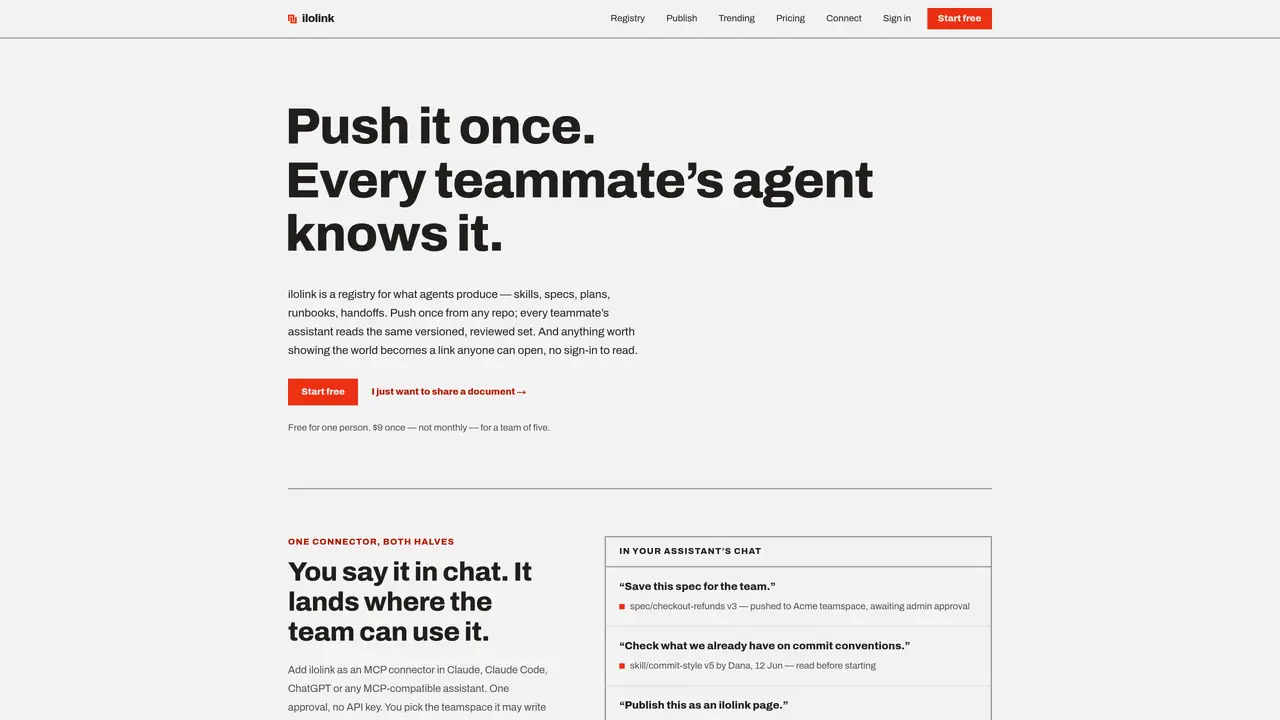
ilolink functions as a registry where teams store and version control documents such as skills, specs, plans, runbooks, handoffs, and decisions. Documents are pushed from any repository and become accessible to every teammate’s AI assistant, ensuring a single source of truth. Each entry is versioned with author attribution and can be reviewed before approval, preventing unauthorized use. The platform supports structured document types with fixed categories to avoid ambiguity. ilolink also provides a publishing feature for sharing documents externally via a link that requires no sign-in to view. Analytics track read depth, referrers, devices, and comments, offering insights into how documents are consumed. Heatmaps and anchored comments facilitate collaboration on published content.
ilolink is a registry for teams to store, version control, and share documents such as skills, specs, plans, runbooks, handoffs, and decisions. It ensures a single source of truth by pushing documents from any repository and making them accessible to every teammate’s AI assistant.
ilolink is designed for teams that rely on AI assistants, including team leads, engineers, and consultants who need to standardize instructions, share documents, or collaborate on technical or operational content.
Documents pushed to ilolink arrive as proposals and require admin approval before they become available to the team. This ensures only reviewed and authorized content is used by AI assistants.
Yes, ilolink allows publishing documents as public links that anyone can open without signing in. Analytics such as read depth, referrers, and comments are available for published content.
ilolink supports integration with AI assistants via the MCP connector, compatible with tools like Claude, Claude Code, and ChatGPT. Once connected, assistants can fetch or push documents to the team’s registry.
Start by connecting an AI assistant as an MCP connector in your preferred tool. Push documents from any repository, and manage approvals or publish content as needed. An account is required for publishing but not for reading.
ilolink.com · third-party estimates from Similarweb
Share of visits by channel
Share of visits · estimated visits
Productivity & Office · Sep 2026
Traffic figures are third-party estimates, good for scale and trends; they can differ from a company's own numbers. Updated monthly.
We use essential cookies to run aitoolnavio™, and optional cookies to analyze traffic and measure our marketing. You choose what we use — optional cookies stay off unless you turn them on. See our Privacy Policy.
One short email a week: fresh tools worth trying, honest takes and the updates that actually matter. No spam, unsubscribe any time.
Generate content, correct spelling, suggest synonyms to enhance writing.
Turn messy team ideas into actionable plans with Miro's visual workspace.
Leverage analytics, automate tasks, share documents, and coordinate projects.
Integrates AI into Airtable to analyze data, summarize insights, draft content, and automate workflows without prior AI experience.
Cloud accounting software that automates bookkeeping, invoicing, and financial reporting for small and growing businesses.
Streamline teamwork, manage projects, automate tasks efficiently.
Automate code, research, and documents using agents.
AI assistant for safe, reliable productivity with code, collaboration, and integrations.
Create customizable tables, databases, and spreadsheets, share data securely with team members.
Easy-to-use CRM platform that automates lead capturing, prioritizes tasks, and provides sales pipeline analytics for businesses of all sizes.
Transforms thoughts into actions, enhancing productivity and efficiency.
Write & run code in 50+ languages, auto-complete with AI, and code faster with an intuitive interface.
Matched on what this tool does — grouped by the job you would be replacing.
Paid placement · similar tools from listings that support aitoolnavio™
Instant lead response for home-service pros: your phone rings on every new lead, plus 14 days of follow-up
matches Versioned document registry with author attribution · Admin approval workflow for document proposals · External document publishing with shareable links
matches Supports Markdown, HTML, PDF, DOCX, JSON, and CSV
Publish, version and collect feedback on agent-generated HTML or Markdown files via shareable links
Turns documents into shareable links with AI-powered Q&A and lead capture
Open-source AI document parser that converts PDFs, images, and documents into structured Markdown or JSON for AI workflows.
Instantly convert PDF, Word, PowerPoint, Excel, CSV, and HTML files into clean markdown
Online converter turning PDF, Word and other files into clean Markdown for AI workflows
Converts documents and web links into AI-friendly Markdown format