Generate content, correct spelling, suggest synonyms to enhance writing.
173M visits/mo+0.1%#1 Productivity & Office

Browser extension that rewrites and prioritizes Gmail messages for quick triage
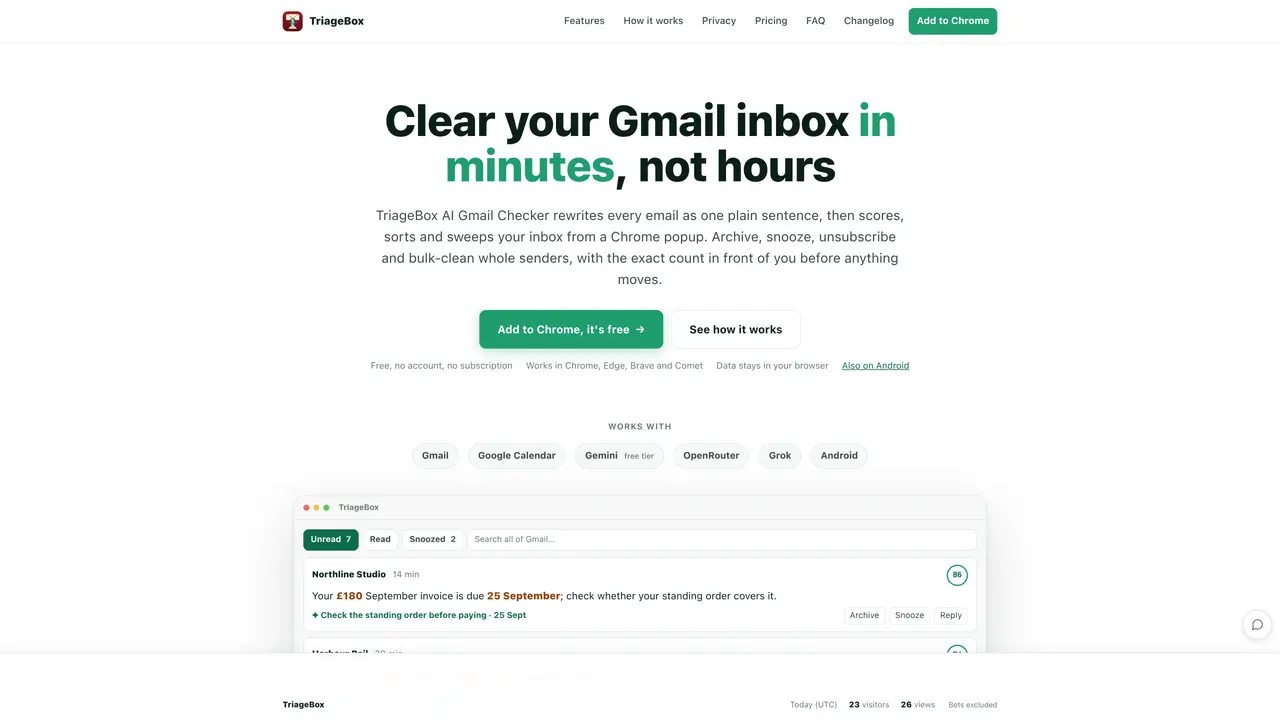
TriageBox AI Gmail Checker is a browser extension that rewrites every Gmail message into a single plain sentence highlighting the key action and deadline. It scores and sorts the inbox automatically, allowing users to archive, snooze, unsubscribe or reply directly from a Chrome popup without opening Gmail. The tool supports bulk actions like sweeping entire senders or categories while showing live counts before any changes are made. It includes built-in phishing checks using Gmail’s SPF, DKIM and DMARC signals, and can summarize PDF attachments and copy sign-in codes directly from the card. TriageBox works with Gmail, Google Calendar, and integrates with AI services like Google Gemini’s free tier for additional summarization. Data remains in the user’s browser, and the extension is available for Chrome, Edge, Brave, Comet and Android. The Android app operates outside Google Play and requires manual APK installation.
TriageBox AI Gmail Checker rewrites every Gmail message into a single plain sentence highlighting the key action and deadline. It scores and sorts the inbox automatically, allowing users to archive, snooze, unsubscribe or reply directly from a Chrome popup without opening Gmail.
The tool is designed for anyone who wants to clear their Gmail inbox quickly, including professionals, students, and individuals managing high volumes of emails. It suits users who prefer to prioritize and act on emails without opening each one individually.
The extension is available for free on the Chrome Web Store with no account or subscription required. Additional AI features may require an optional key, but the core functionality remains free.
TriageBox integrates with Gmail, Google Calendar, and AI services like Google Gemini’s free tier and OpenRouter for summarization. It also works with Grok and is available as an Android app outside Google Play.
All data remains in the user’s browser, and the tool uses Gmail’s built-in SPF, DKIM, and DMARC signals for phishing checks. The Android app encrypts on-device caches and does not store tokens on external servers.
Users can add the extension to Chrome via the Chrome Web Store, sign in with Google, and start triaging emails immediately. The Android app requires manual APK installation and is available upon request.
We use essential cookies to run aitoolnavio™, and optional cookies to analyze traffic and measure our marketing. You choose what we use — optional cookies stay off unless you turn them on. See our Privacy Policy.
One short email a week: fresh tools worth trying, honest takes and the updates that actually matter. No spam, unsubscribe any time.
Generate content, correct spelling, suggest synonyms to enhance writing.
Turn messy team ideas into actionable plans with Miro's visual workspace.
Leverage analytics, automate tasks, share documents, and coordinate projects.
Integrates AI into Airtable to analyze data, summarize insights, draft content, and automate workflows without prior AI experience.
Cloud accounting software that automates bookkeeping, invoicing, and financial reporting for small and growing businesses.
Streamline teamwork, manage projects, automate tasks efficiently.
Automate code, research, and documents using agents.
AI assistant for safe, reliable productivity with code, collaboration, and integrations.
Create customizable tables, databases, and spreadsheets, share data securely with team members.
Easy-to-use CRM platform that automates lead capturing, prioritizes tasks, and provides sales pipeline analytics for businesses of all sizes.
Transforms thoughts into actions, enhancing productivity and efficiency.
Write & run code in 50+ languages, auto-complete with AI, and code faster with an intuitive interface.
Matched on what this tool does — grouped by the job you would be replacing.
Paid placement · similar tools from listings that support aitoolnavio™
Instant lead response for home-service pros: your phone rings on every new lead, plus 14 days of follow-up
matches Rewrites emails as single plain sentences · Scores and sorts inbox automatically · Bulk archive, snooze, unsubscribe with live counts
matches Summarizes PDF attachments
AI-powered email assistant that organizes inboxes, drafts replies, and surfaces priorities across multiple email providers.
Stop drowning in emails - Emilio prioritizes and automates your email, saving 60% of your time
AI-native email client that drafts replies, prioritizes messages, and automates scheduling for busy professionals.
AI email assistant that drafts, tracks and signs emails inside Gmail and Outlook
Summarizes, extracts, and rewrites content from files.
Browser extension AI assistant for in-page summarization, translation, drafting, and cited web search.
AI browser extension that summarizes web pages, videos, and PDFs, and organizes bookmarks for faster research and writing.