
Open-source control plane for orchestrating multiple coding agents
703K visits/mo+93.9%#52 Automation & Agents

Shared memory for AI agents and teams to store and retrieve project context
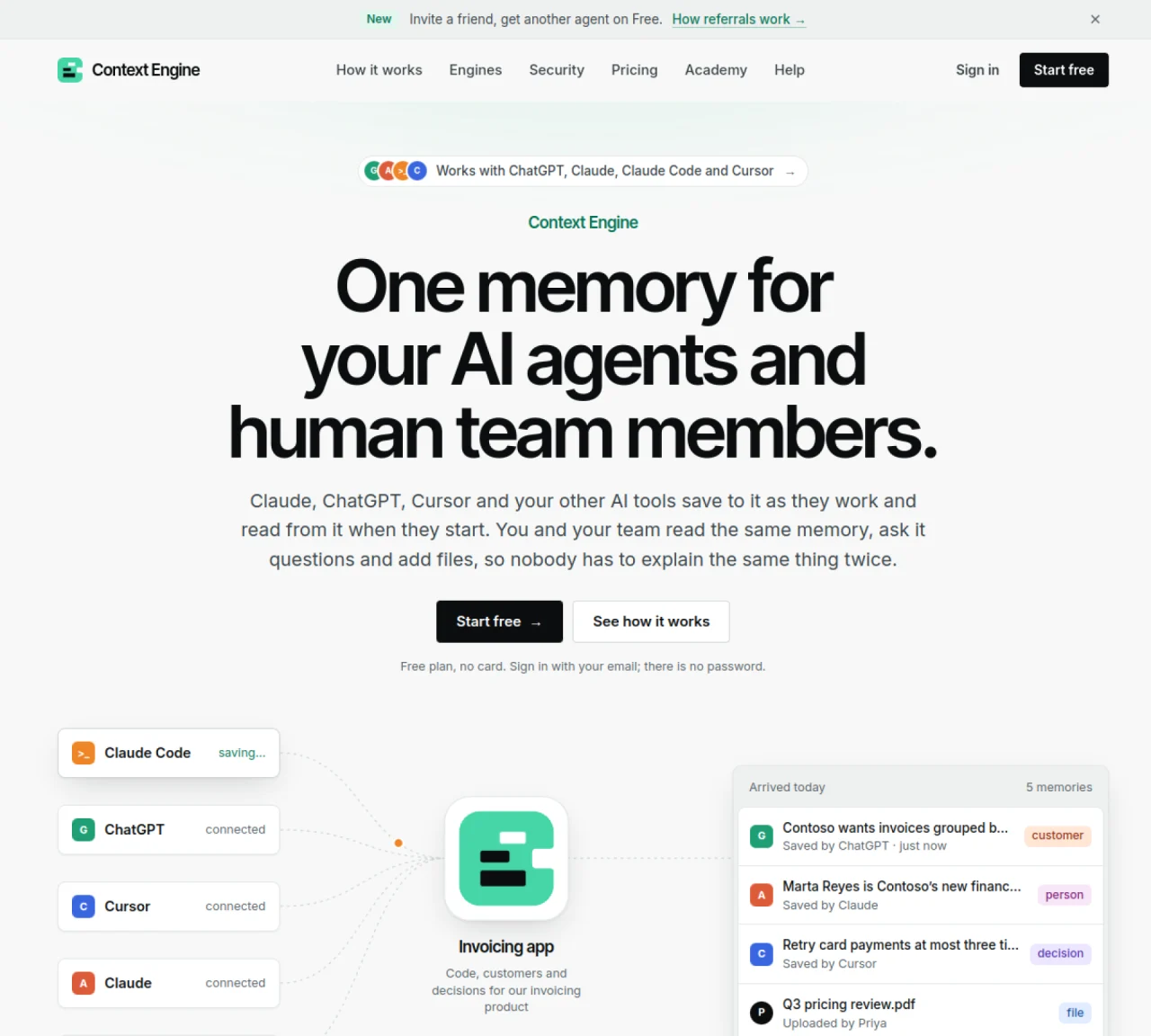
Context Engine provides a centralized memory system for AI agents and human team members to store and access project context. AI tools such as ChatGPT, Claude, Claude Code, and Cursor connect to it via MCP and automatically save decisions, notes, people, customers, and files as they work. Each engine is a purpose-built memory space that can be shared among team members or kept private. Memories include metadata such as who saved them and when, and can be searched or queried in plain language. The service organizes content by generating summaries, linking related memories, and preventing duplicates. Users can export memories as Markdown or delete them entirely. Engines can be segmented by project or client, with access controls determining which tools can read or write to each engine.
Context Engine is a centralized memory system that allows AI agents and human team members to store and access project context. AI tools like ChatGPT, Claude, and Cursor connect to it via MCP and automatically save decisions, notes, people, customers, and files as they work. Each engine is a purpose-built memory space that can be shared or kept private, with memories searchable in plain language.
Context Engine is designed for teams and individuals who use AI tools like ChatGPT, Claude, or Cursor and want to maintain continuity across sessions. It benefits project teams, developers, and consultants who need to preserve context, decisions, and files in a shared or segmented memory system.
Connecting AI tools to Context Engine is done through MCP. For example, with Claude Code, you run a single command like 'claude mcp add --scope user --transport http ce-invoicing https://app.contextengine.com/mcp/c/k7f2q9'. Other tools like ChatGPT, Claude, and Cursor can be connected with a few clicks.
Yes, Context Engine allows you to segment engines by project or client and set access controls. You can specify which tools can read or write to each engine, ensuring that only relevant team members or tools have access to specific memories.
Context Engine automatically organizes memories by generating summaries, linking related memories, and preventing duplicates. It keeps memories structured without manual sorting, ensuring that past context remains useful and accessible for both team members and AI tools.
Yes, you can export all memories as Markdown at any time. Additionally, you have the option to delete memories entirely if needed. Memories can also be moved between engines without losing their history.
We use essential cookies to run aitoolnavio™, and optional cookies to analyze traffic and measure our marketing. You choose what we use — optional cookies stay off unless you turn them on. See our Privacy Policy.
One short email a week: fresh tools worth trying, honest takes and the updates that actually matter. No spam, unsubscribe any time.
Open-source control plane for orchestrating multiple coding agents
Open-source agent orchestration platform for managing teams of AI agents with org charts, goals, and governance in a self-hosted deployment.
Build teams of AI agents that collaborate, automate workflows, and complete complex tasks together.
Design, automate, and orchestrate complex workflows across systems with Camunda's AI-enabled process orchestration platform.
Orkes is a modern workflow orchestration platform designed to enhance how developers create, connect, and deploy applications across various environments.
Buda AI, a cloud-native workspace where AI agents collaborate to execute tasks and run companies 24/7.
A protocol for tokenized AI agents that autonomously generate services, products, and trade onchain with humans or other agents.
Open-source tool to orchestrate multi-agent workflows that decompose complex tasks into parallel sub-agents with sandboxed execution and persistent memory.
Open meta-harness for composing, sandboxing, and collaborating on AI agent sessions across multiple platforms.
A reasoning-focused AI agent that plans, executes, and self-improves complex multi-step workflows with auditability and verification.
A Tool OS for AI agents that discovers, routes, and executes third-party services via a single OpenAI-SDK-compatible API.
Declarative runtime for running agentic tasks at scale with sandboxing and state management
Matched on what this tool does — grouped by the job you would be replacing.
matches Saves decisions, notes, people, customers, and files · Provides plain-language search across memories · Generates daily, weekly, and monthly summaries
Shared knowledge base for teams to capture and reuse work methods
Local memory manager for AI agents that retains context across tools
Persistent markdown-based memory layer for AI coding agents
matches Connects to ChatGPT, Claude, Claude Code, and Cursor · Supports file uploads including folders and ZIPs
Connect local files and directories to Cursor, Claude Desktop and Windsurf via the Filesystem MCP server.
Connect Fetch to Cursor, Claude Desktop and Windsurf via the Fetch MCP server.
Annotated screenshot tool for AI coding agents with Markdown handoff