
Generate captions, optimize content, and enhance with custom images for maximum engagement.
46M visits/mo-10%#3 Image & Design
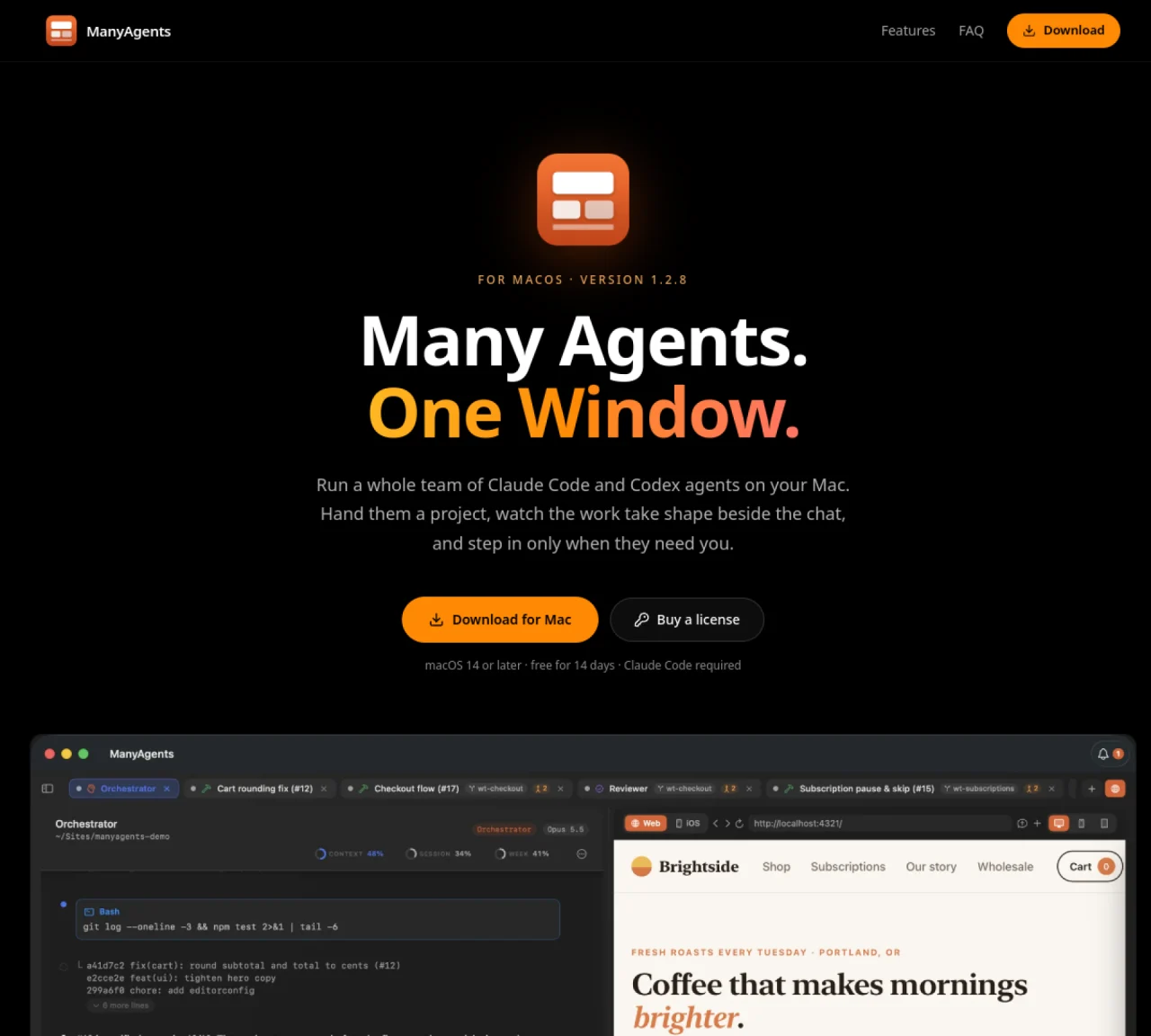
ManyAgents is a desktop application for macOS that coordinates multiple AI coding agents within a single window. It allows users to assign a project to an orchestrator agent, which then delegates tasks to worker agents running on Claude Code and Codex. Each worker operates in its own git worktree to avoid conflicts, tests its changes, and reports back. Thinker agents handle complex design decisions or unresolved bugs, while reviewer agents inspect finished work before it reaches the user. The app provides a card view that displays all agents and their statuses for each project, including orchestrator, workers, thinkers, and reviewers. Built-in browser functionality lets agents test web applications directly within the window, simulating user interactions and verifying workflows. The orchestrator communicates decisions back to the user when agents require input, consolidating all questions in one place. Projects can also be viewed in an iOS Simulator panel for mobile development testing.
A Mac running macOS 14 or later, a Claude Code subscription (Pro or Max) or an Anthropic API key, and optionally an OpenAI Codex subscription for reviewer agents.
No. Agents run through your own Claude Code and Codex accounts, and the app does not collect or transmit your code or data.
It uses your existing Claude Code and Codex plans, so there are no additional AI bills beyond your current subscriptions.
Yes. It includes an iOS Simulator panel to test mobile apps directly within the app without needing a physical device.
You can still view existing projects, but new work pauses until you purchase a license.
Download the app, open a project, sign in to Claude Code (and Codex if using reviewers), then tell the orchestrator what you want done.
We use essential cookies to run aitoolnavio™, and optional cookies to analyze traffic and measure our marketing. You choose what we use — optional cookies stay off unless you turn them on. See our Privacy Policy.
One short email a week: fresh tools worth trying, honest takes and the updates that actually matter. No spam, unsubscribe any time.
Generate captions, optimize content, and enhance with custom images for maximum engagement.
Build conversational forms, capture rich responses, and automate follow-ups with AI-powered surveys and workflows.
Automate code, research, and documents using agents.
AI-powered IDE for autonomous coding tasks and agentic development workflows
Source, match, and manage talent with predictive analytics for effortless recruiting.
Automate workflow, optimize operations, and detect potential issues with this efficient AI-driven solution.
Transforms thoughts into actions, enhancing productivity and efficiency.
AI Recruitment engine to hire top global talent
All-in-one team productivity platform combining chat, docs, video meetings, workflows, and AI tools in one place.
Personal assistant that coordinates tasks across apps and devices via text or call
AI automation and agent-building platform with 3,000+ app integrations
AI job search copilot that matches roles to skills, optimizes resumes for ATS, generates cover letters, and autofills applications with real-time insights.
Matched on what this tool does — grouped by the job you would be replacing.
matches Orchestrator agent splits projects into tasks · Worker agents operate in isolated git worktrees · Thinker agents handle complex design decisions
Run and manage remote AI coding agents from any device with real-time sync and a clean UI.
End-to-end AI agent orchestration for coding, design, media and research tasks
A macOS app that coordinates multiple AI coding agents in parallel
Native desktop cockpit to run and coordinate multiple AI coding agents on a local machine
matches Worker agents operate in isolated git worktrees · Built-in browser for testing web applications · iOS Simulator panel for mobile development
matches Built-in browser for testing web applications · iOS Simulator panel for mobile development · Card view for tracking all agents and projects
Parallel AI coding agent IDE that runs multiple agents side by side in isolated git worktrees for faster, comparative development.
A macOS workspace for running and managing parallel AI coding agents with isolated shells and automatic git worktrees.
Local desktop app that consolidates multiple coding agents into one window
AI workforce that runs on a single Mac with up to 100 specialized agents
Desktop workspace for managing coding agents and their outputs
Local AI agent for Mac that integrates mail, calendar, files and tools in one window
Mobile app that lets users monitor and interact with local AI agents running on their own machines