Discover personalized fashion, receive expert advice, and enjoy convenient shopping with free shipping and returns.
6.8M visits/mo+15.2%#5 Lifestyle & Education

Local AI assistant that coordinates desktop apps and files without cloud uploads
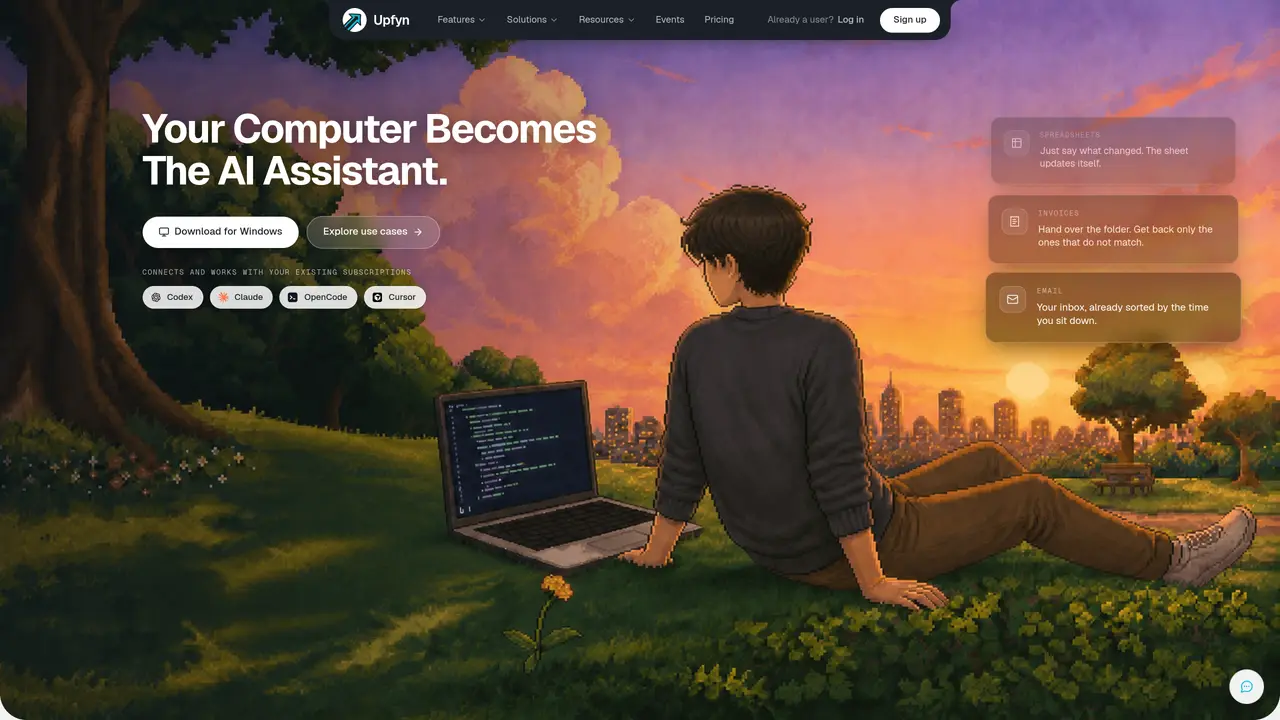
Upfyn is a desktop application that turns a user’s computer into an AI assistant capable of coordinating multiple existing tools and subscriptions. It operates locally, connecting to spreadsheets, invoices, email, design files, websites, and other documents without automatically uploading project data to the cloud. The tool provides two primary modes—Analyst and Developer—each tailored to different workflows while sharing the same local engine, projects, and permissions. Analyst mode focuses on research, documentation, and scheduled tasks, while Developer mode handles full project coordination including terminals, browsers, Git, and specialist tools. Six focused apps (Artifact, Design, Share, AI Studio, Free Research, and Free Campaign) provide specialized workspaces that integrate with the local desktop engine. Upfyn separates orchestration, planning, context, execution, verification, and memory into distinct stages, each with specific responsibilities inspired by historical figures. The system supports bringing your own API keys, local models, or supported CLI subscriptions, allowing users to maintain control over their data and model choices.
Upfyn is a desktop application that transforms a user’s computer into an AI assistant by coordinating existing tools and subscriptions locally. It operates without automatically uploading project data to the cloud, connecting to spreadsheets, invoices, email, design files, websites, and other documents on the user’s machine.
Upfyn is designed for individuals and teams who want to centralize their workflows using AI. It suits users who prefer local processing for data control and those who need to coordinate multiple tools, such as spreadsheets, email, design software, and development environments.
Yes, Upfyn allows users to bring their own API keys, local models, or supported CLI subscriptions. It supports a wide range of providers, including Anthropic, OpenAI, Google, Mistral, Llama, DeepSeek, and others, as well as local model options.
Upfyn offers two primary modes: Analyst and Developer. Analyst mode focuses on research, documentation, and scheduled tasks, while Developer mode handles full project coordination, including terminals, browsers, Git, and specialist tools. Both modes share the same local engine, projects, and permissions.
Yes, Upfyn is designed to work with existing subscriptions and tools. Users can connect their existing accounts, model providers, and data sources, allowing Upfyn to act as a central interface for managing workflows without replacing established tools.
To get started, download the Upfyn desktop application for Windows, then select the engine or model provider you want to use. Configure your projects, permissions, and tools, and begin coordinating your workflows through Upfyn’s interface.
We use essential cookies to run aitoolnavio™, and optional cookies to analyze traffic and measure our marketing. You choose what we use — optional cookies stay off unless you turn them on. See our Privacy Policy.
One short email a week: fresh tools worth trying, honest takes and the updates that actually matter. No spam, unsubscribe any time.
Discover personalized fashion, receive expert advice, and enjoy convenient shopping with free shipping and returns.
Personal assistant that coordinates tasks across apps and devices via text or call
Quickly narrow searches by category, control results by country or language, and find relevant, accurate results with ease.
Optimizes schedules by auto-organizing tasks and meetings.
AI assistant that drafts, reviews, and researches legal documents for lawyers and law firms.
Real-time task tracking, project management, collaboration, and task assignment.
An AI voice assistant that delivers emotionally intelligent, context-aware conversations with natural timing and personal engagement.
Identify technologies, analyze data, and refine search criteria with AI-powered tools for patent research and trend analysis.
Automate audio and video transcription, timestamps, speaker labels, diarization, and export with customizations.
An AI chat platform for immersive, personalized interactions with virtual companions, including image generation.
Customer relations assistant in Gmail
AI-driven app personalizing adaptive workouts for continuous improvement.
Matched on what this tool does — grouped by the job you would be replacing.
matches Local desktop engine for AI coordination · Project memory and permissions control · Bring Your Own Key (BYO Key) support
Desktop workspace for running AI agents on local files and code
Runs private AI models entirely on a user’s Mac without cloud dependency
Voice-first AI assistant for macOS that executes tasks via natural language commands
Desktop app for multi-agent coding sessions with AI PR review and CI debugging
matches Integrated terminal and Git review · Code generation, editing, and visualization
matches Analyst and Developer modes · Six focused apps (Artifact, Design, Share, AI Studio, Free Research, Free Campaign)
Supermaven delivers lightning-fast AI code completions with a 1 million token context window for high-quality suggestions.
Terminal-based AI agent for coding, data tasks and workflow automation
AI coding assistant that operates inside the terminal for end-to-end development tasks
AI coding assistant that writes, debugs, refactors, and automates code tasks using natural language in terminals, IDEs, or web interfaces.
Nexos builds autonomous AI agents and workflows that execute multi-step tasks without manual oversight.
AI assistant that completes tasks across files, repos, Slack and cloud tools
AI agentic browser that automates complex workflows, deep research, and multi-step digital tasks across public and private platforms.
A desktop AI assistant that captures meeting notes, summarizes context across apps, supports AI writing with memory, and tracks tasks.