

Summarizes, extracts, and rewrites content from files.
89M visits/mo+8.7%#2 Productivity & Office
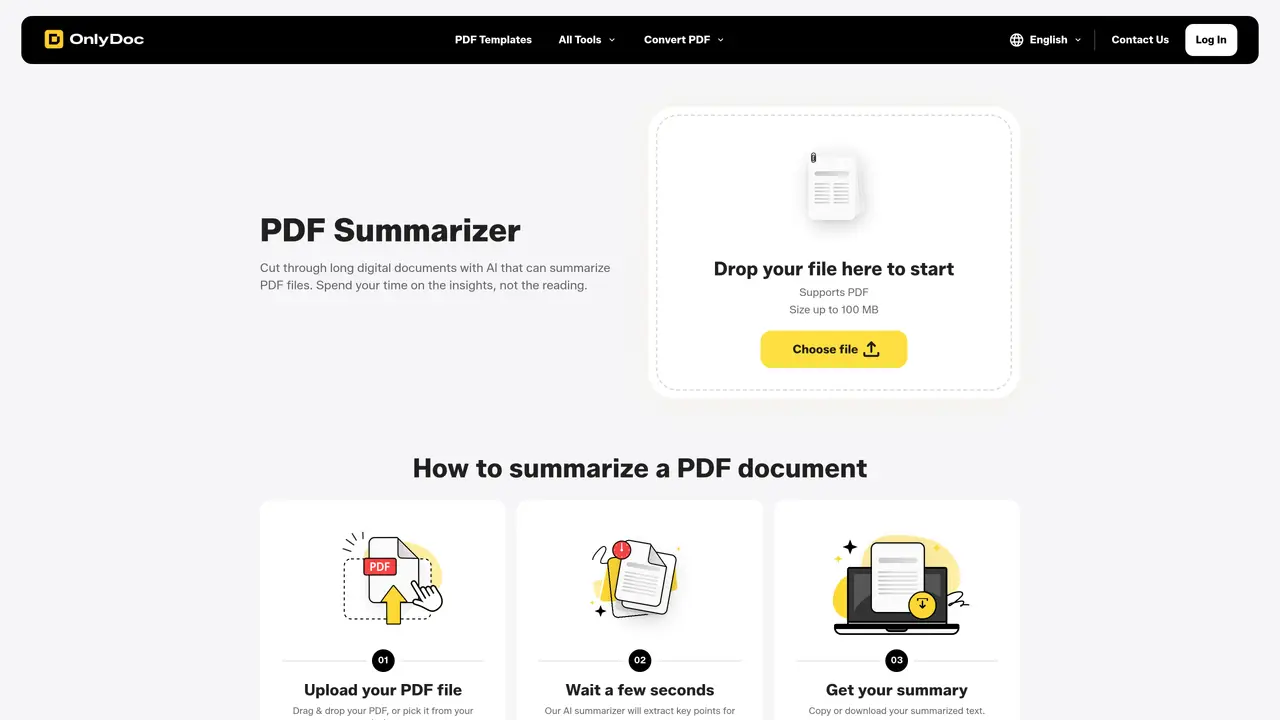
OnlyDoc is a browser-based AI PDF summarizer that condenses long documents into concise, structured text. It sits inside the broader OnlyDoc toolkit of PDF converters, OCR, and image utilities, so documents can move from raw upload to summary in a single workflow. The summarizer focuses on extracting the main ideas from reports, research papers, contracts, and manuals, then returns a clean text summary that can be copied or downloaded. It supports PDFs up to 100 MB and offers a multilingual interface, which suits teams working across different regions and languages. Key Features: AI-driven key point extraction: Uses AI models to identify core sections, arguments, and recurring concepts, then compresses them into short, readable paragraphs. Support for large PDFs: Accepts files up to 100 MB, suitable for dissertations, handbooks, annual reports, or technical documentation in one pass. Clean, structured summaries: Outputs summaries as organized paragraphs instead of a single text block, which helps quick scanning, quoting, and sharing. One-click workflow: After upload, the summarizer runs automatically in a few seconds, with options to copy or download the summary text.
Onlydoc
Nicosia, Cyprus · Founded 2026
In most cases, the online PDF summarizer processes documents in under 30 seconds. Longer or more complex files may take slightly more time, but results typically arrive within a minute.
The tool works with standard PDF files, including documents converted from lecture slides, articles, book chapters, and similar formats. The AI analyzes the PDF content to deliver a summary.
Yes, once generated, the summary can be copied directly or downloaded as a file. The text can then be used for notes, references, research, or sharing with a team.
The tool uses reliable security practices to protect documents at every step of the process, ensuring data safety during summarization.
The summarizer operates within a multilingual interface, making it suitable for teams working across different regions and languages.
The tool supports PDFs up to 100 MB, accommodating large documents such as dissertations, handbooks, annual reports, or technical documentation.
onlydoc.com · third-party estimates from Similarweb
Last 4 months · grows by one month every month
Share of visits · estimated visits
Other countries: 8.8%
Productivity & Office · Sep 2026
Traffic figures are third-party estimates, good for scale and trends; they can differ from a company's own numbers. Updated monthly.
We use essential cookies to run aitoolnavio™, and optional cookies to analyze traffic and measure our marketing. You choose what we use — optional cookies stay off unless you turn them on. See our Privacy Policy.
One short email a week: fresh tools worth trying, honest takes and the updates that actually matter. No spam, unsubscribe any time.
Summarizes, extracts, and rewrites content from files.
Free tool to collect, organize, cite and share research sources
An AI-powered PDF editor and converter for editing, OCR, signing, annotating, merging, and chatting with documents across devices.
Browser-based PDF editor that edits, signs, converts, merges, compresses, and shares files, with AI for form filling, document chat, and PDF creation.
Streamline PDF interaction with AI summarization, batch processing, and secure Q&A.
Efficiently find data, extract key topics, map entities, analyze sentiment, and highlight important points in your PDF documents.
All-in-one AI platform for writing, image, music, and analysis.
AI-powered PDF editor with built-in agents for summarization, translation, and document analysis.
Obtain information, navigate documents, and customize responses with an AI-powered chatbot and user-friendly interface.
Summarize, chat with, and clean up PDFs.
Find sections, analyze & extract content, and interact with documents efficiently using AI-powered technology.
Generate comprehensive PDF reports, leverage NLP and ML to understand documents, save time and money with faster decision-making.
Matched on what this tool does — grouped by the job you would be replacing.
matches AI-driven key point extraction · Support for large PDFs up to 100 MB · Clean, structured summaries as organized paragraphs
Summarizes, extracts, and rewrites content from files.
An AI-powered PDF editor and converter for editing, OCR, signing, annotating, merging, and chatting with documents across devices.
Summarize, chat with, and clean up PDFs.
Interactive AI tool for questioning and summarizing PDFs through a conversational chat interface.
matches Support for large PDFs up to 100 MB · Integration with companion tools such as OCR and translation
Open-source AI document parser that converts PDFs, images, and documents into structured Markdown or JSON for AI workflows.
Instantly convert PDF, Word, PowerPoint, Excel, CSV, and HTML files into clean markdown
All-in-one PDF toolkit with AI-powered features and client-side processing
Converts documents and images to and from Markdown format