Generate content, correct spelling, suggest synonyms to enhance writing.
173M visits/mo+0.1%#1 Productivity & Office

AiAssistWorks is an AI-powered tool that enhances Google Sheets & Docs by integrating 100+ AI models.
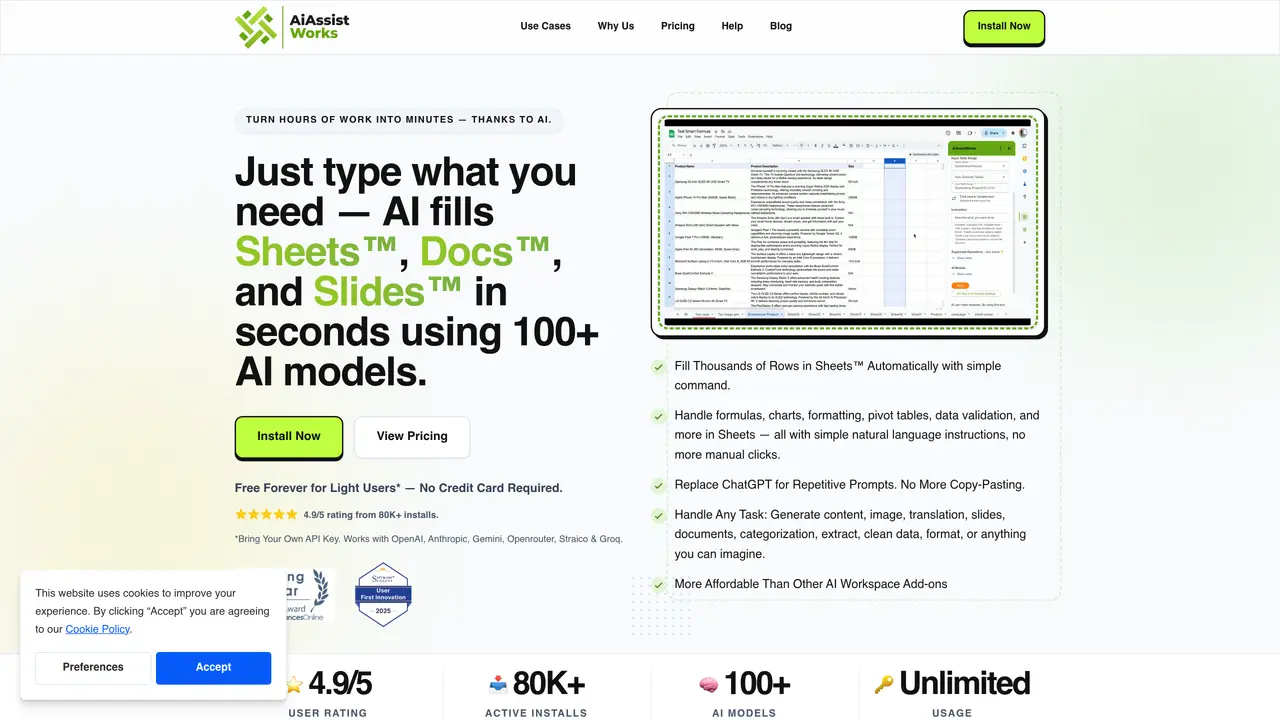
AiAssistWorks is an AI-powered automation tool designed to integrate seamlessly with Google Sheets & Docs, enabling users to perform various tasks with 100+ AI models such as GPT, Claude, Gemini, Llama, and DeepSeek. It eliminates the need for complex formulas and repetitive manual work by automating data entry, content creation, table structuring, image generation, and analysis. In Google Sheets, users can utilize AI to fill thousands of rows with structured data, automate categorization, analyze tables, and assist with formula creation. The tool allows for bulk data processing, including SEO content generation, sentiment analysis, translation, and spreadsheet automation. Additionally, its formula assistant helps users generate and optimize formulas, reducing the complexity of working with large datasets. In Google Docs, AiAssistWorks provides AI-driven text generation, rewriting, summarization, translation, and grammar correction. It enables users to automate repetitive tasks such as data entry, content generation, formula assistance, image creation, and table structuring.
Getting an API key is straightforward—simply sign up with your preferred AI provider, add credit if required, and copy the key into AiAssistWorks. No coding, setup, or technical skills are needed.
Using your own API key gives you full control over your AI usage and costs. It also ensures access to premium models without requiring an upgrade to a paid plan within AiAssistWorks.
Yes, AiAssistWorks can process large datasets, including 100,000+ rows, using its smart batching engine to avoid rate limits and efficiently complete tasks.
AiAssistWorks supports over 100 AI models from providers such as OpenAI, Anthropic, Google Gemini, Groq, Openrouter, and Straico, allowing users to select the best model for each task.
Yes, AiAssistWorks integrates with Google Docs, Slides, and Sheets, enabling AI-driven tasks like content generation, translation, slide creation, and data visualization across all three platforms.
AiAssistWorks offers a free forever plan for light users, which does not require a credit card. However, users must provide their own API key to access AI models.
aiassistworks.com · third-party estimates from Similarweb
Last 4 months · grows by one month every month
Share of visits · estimated visits
Other countries: 6.1%
Productivity & Office · Sep 2026
Traffic figures are third-party estimates, good for scale and trends; they can differ from a company's own numbers. Updated monthly.
We use essential cookies to run aitoolnavio™, and optional cookies to analyze traffic and measure our marketing. You choose what we use — optional cookies stay off unless you turn them on. See our Privacy Policy.
One short email a week: fresh tools worth trying, honest takes and the updates that actually matter. No spam, unsubscribe any time.
Generate content, correct spelling, suggest synonyms to enhance writing.
Turn messy team ideas into actionable plans with Miro's visual workspace.
Leverage analytics, automate tasks, share documents, and coordinate projects.
Integrates AI into Airtable to analyze data, summarize insights, draft content, and automate workflows without prior AI experience.
Cloud accounting software that automates bookkeeping, invoicing, and financial reporting for small and growing businesses.
Streamline teamwork, manage projects, automate tasks efficiently.
Automate code, research, and documents using agents.
AI assistant for safe, reliable productivity with code, collaboration, and integrations.
Create customizable tables, databases, and spreadsheets, share data securely with team members.
Easy-to-use CRM platform that automates lead capturing, prioritizes tasks, and provides sales pipeline analytics for businesses of all sizes.
Transforms thoughts into actions, enhancing productivity and efficiency.
Write & run code in 50+ languages, auto-complete with AI, and code faster with an intuitive interface.
Matched on what this tool does — grouped by the job you would be replacing.
Paid placement · similar tools from listings that support aitoolnavio™
Instant lead response for home-service pros: your phone rings on every new lead, plus 14 days of follow-up
matches Automates data entry · Assists with formula creation · Structures tables
matches Generates SEO content · Translates text · Corrects grammar
matches Creates images
Automate complex Excel formulas, generate accurate equations with 44,000+ formulas.
Generate emails, transform text instructions into formulas, and create programmatic SEO content effortlessly.
Automate tasks, create interactive dashboards, and streamline operations with fast data processing.
AI assistant that brings ChatGPT directly into Google Sheets and Docs to generate, analyze, and transform content.
Generate content, correct spelling, suggest synonyms to enhance writing.
AI Doc GPT automates document generation, generates high-quality content quickly, and summarizes large documents.
AI writing assistant that generates text, images, code, and chat to streamline content creation for creators, marketers, and business owners.
AI writing assistant that generates SEO-optimized, audience-tailored content with templates and snippets to speed up the process.
AI platform for upscaling images, enhancing photos, and generating high-quality creative assets with contextual detail.
Build custom AI models, automate tasks, and generate formulas and AI images effortlessly.