

Generate content, correct spelling, suggest synonyms to enhance writing.
173M visits/mo+0.1%#1 Productivity & Office
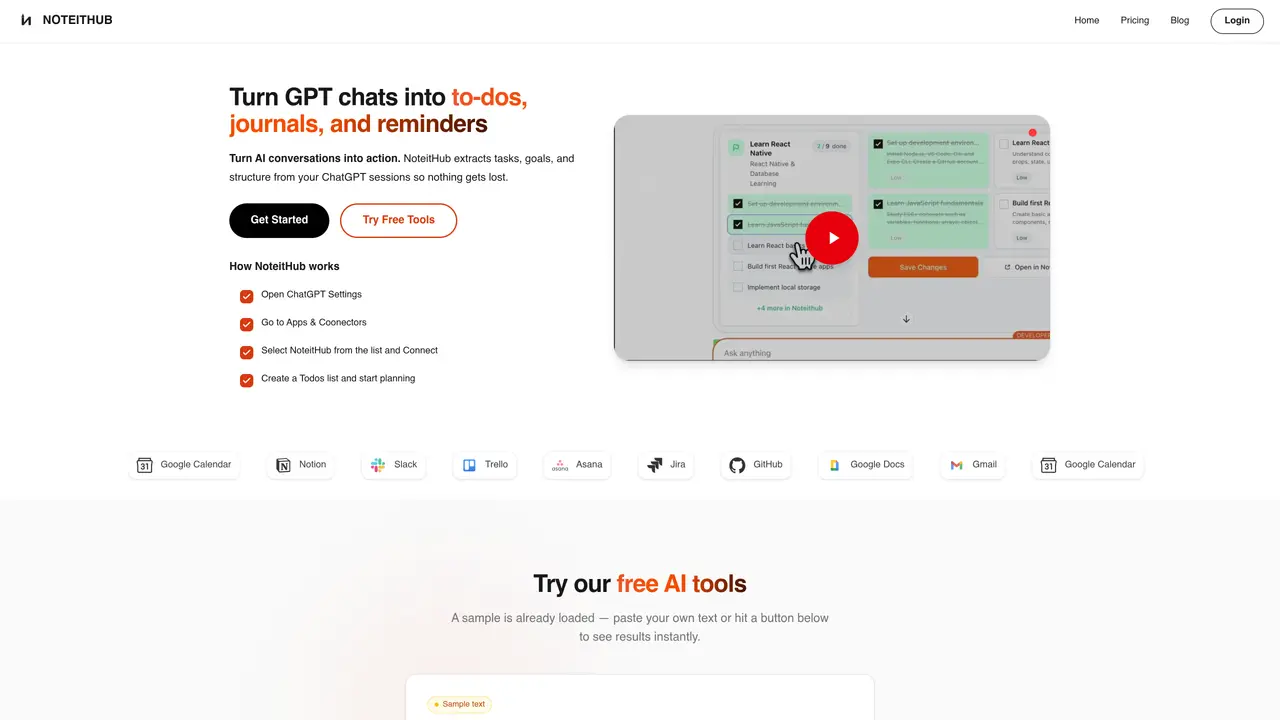
NoteitHub turns ChatGPT conversations into persistent to-do lists, reminders, journals, and calendar events by automatically extracting tasks, decisions, and goals from long threads. It connects as an official ChatGPT app via Apps & Connectors and also provides a browser-based interface with free tools that generate to-do lists and knowledge graphs from pasted text. Key Features: ChatGPT-native workflow: Added directly inside ChatGPT, so users can convert any valuable thread into a structured NoteitHub entry without leaving the chat. AI task extraction and structuring: Identifies action items, groups them by topic, and turns messy paragraphs into clean, trackable tasks with clear wording. Living topic-based lists: Maintains one evolving to-do list or reminder system per topic, updating it when related conversations happen again instead of creating isolated checklists. Calendar and tool integrations: Syncs tasks and reminders into tools like Google Calendar, Notion, Slack, Trello, Asana, Jira, GitHub, Google Docs, and Gmail so AI-generated work shows up where execution actually happens. Journaling and knowledge tools: Saves chats as journal entries with AI-generated titles, summaries, tags, and goals, plus free web tools to produce both to-do lists and knowledge graphs from raw text. Taken together, these AI-first features give ChatGPT power users continuity and a central dashboard over their plans instead of scattered screenshots and notes. NoteitHub is designed for people who already rely on ChatGPT; those using other AI tools may see limited benefit. The free tier limits can feel restrictive for daily power users. It’s not a full project management suite, but rather a tool to help users move from ‘great ChatGPT plan’ to tracked tasks, reminders, and calendar blocks.
NoteitHub extracts tasks, goals, and decisions from ChatGPT conversations and turns them into structured to-do lists, reminders, journals, and calendar events. It ensures that valuable insights from AI chats are not lost and can be tracked or revisited later.
NoteitHub is built for founders, indie hackers, and power users who rely on ChatGPT for planning, execution, and daily workflows. It helps bridge the gap between AI-generated ideas and actual task execution.
Users can connect NoteitHub as an official ChatGPT app via Apps & Connectors in ChatGPT settings. Alternatively, a browser-based interface allows pasting text to generate to-do lists or knowledge graphs instantly.
Yes, NoteitHub syncs tasks and reminders with tools like Google Calendar, Notion, Slack, Trello, Asana, Jira, GitHub, Google Docs, and Gmail. This ensures AI-generated work is reflected where users manage their tasks.
NoteitHub offers free tools for generating to-do lists and knowledge graphs from pasted text. Additional features, such as ChatGPT-native workflows and advanced integrations, may be available depending on the tier.
NoteitHub processes user data securely and does not store it. Conversations are summarized and converted into structured entries without retaining raw chat content.
noteithub.com · third-party estimates from Similarweb
Last 4 months · grows by one month every month
Share of visits · estimated visits
Productivity & Office · Sep 2026
Traffic figures are third-party estimates, good for scale and trends; they can differ from a company's own numbers. Updated monthly.
We use essential cookies to run aitoolnavio™, and optional cookies to analyze traffic and measure our marketing. You choose what we use — optional cookies stay off unless you turn them on. See our Privacy Policy.
One short email a week: fresh tools worth trying, honest takes and the updates that actually matter. No spam, unsubscribe any time.
Generate content, correct spelling, suggest synonyms to enhance writing.
Turn messy team ideas into actionable plans with Miro's visual workspace.
Leverage analytics, automate tasks, share documents, and coordinate projects.
Integrates AI into Airtable to analyze data, summarize insights, draft content, and automate workflows without prior AI experience.
Cloud accounting software that automates bookkeeping, invoicing, and financial reporting for small and growing businesses.
Streamline teamwork, manage projects, automate tasks efficiently.
Automate code, research, and documents using agents.
AI assistant for safe, reliable productivity with code, collaboration, and integrations.
Create customizable tables, databases, and spreadsheets, share data securely with team members.
Easy-to-use CRM platform that automates lead capturing, prioritizes tasks, and provides sales pipeline analytics for businesses of all sizes.
Transforms thoughts into actions, enhancing productivity and efficiency.
Write & run code in 50+ languages, auto-complete with AI, and code faster with an intuitive interface.
Matched on what this tool does — grouped by the job you would be replacing.
Paid placement · similar tools from listings that support aitoolnavio™
Instant lead response for home-service pros: your phone rings on every new lead, plus 14 days of follow-up
matches ChatGPT-native workflow · AI task extraction and structuring
matches Living topic-based lists · Journaling and knowledge tools
matches Calendar and tool integrations
AI-powered task manager that captures tasks from voice, photos, and Gmail, syncs with calendars, and supports Kanban planning.
Turn web text into clear, actionable tasks with this browser-based AI to-do manager.
Turns ideas and documents into structured project plans, Kanban boards, timelines, and prioritized tasks automatically.
An AI-powered work management platform combining projects, tasks, docs, chat, agents, and 50+ integrations in one workspace.
A project management platform that unifies tasks, docs, and AI-powered meeting transcription for teams in one workspace.
All-in-one workspace combining chat, tasks, projects, docs, and integrations to reduce tool switching for teams.
Tailor your booking page, sync availability with calendars, set recurring events, and avoid double-booking with reminders.
An AI daily planner for remote workers and wellness-focused users that syncs calendars, predicts energy levels from wearables, and time-blocks tasks.
Automate tasks, manage multiple calendars, and prioritize tasks effortlessly.