Create customizable tables, databases, and spreadsheets, share data securely with team members.
26M visits/mo-0.9%#10 Productivity & Office

Turn receipts into organized Excel sheets with automated renaming and batch processing for effortless expense tracking.
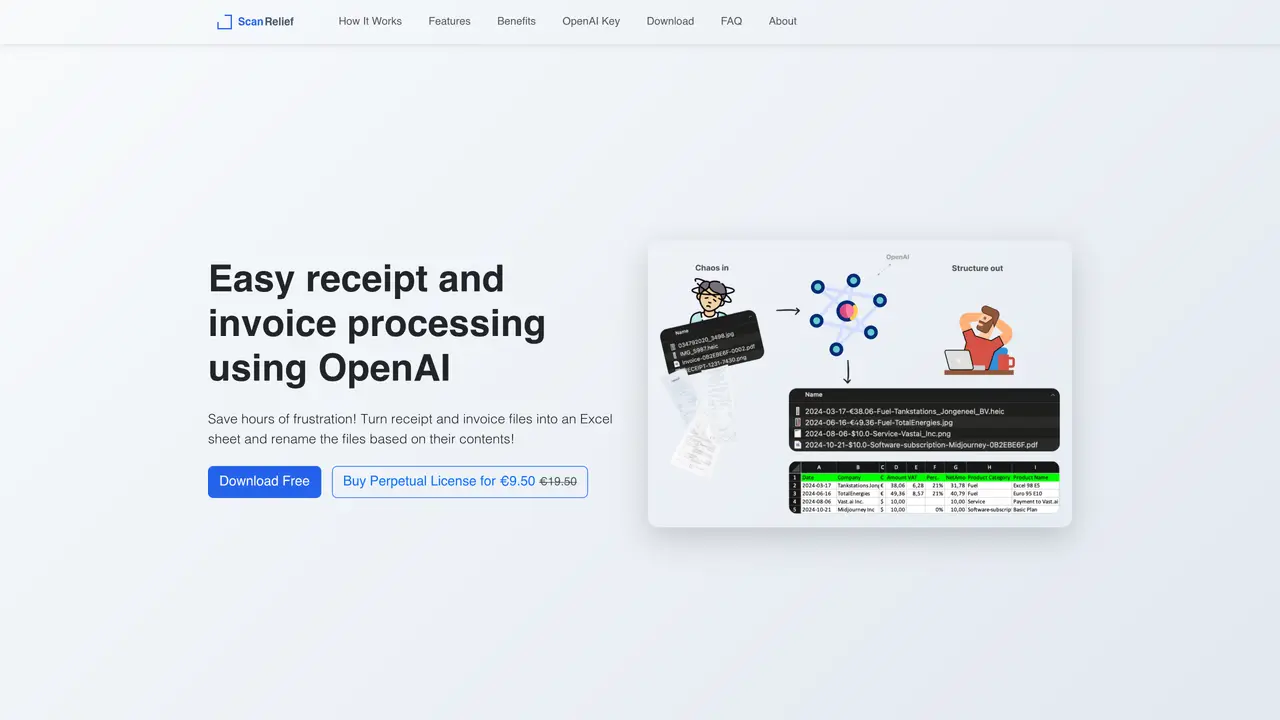
Scan Relief is an AI tool designed to streamline receipt management by converting paper or digital receipts into structured Excel files. It automatically renames files with key details such as date, vendor, and amount, making it easier to track expenses and maintain accurate financial records. The tool is particularly useful for small business owners, accountants, freelancers, and bookkeepers who need to process large volumes of receipts efficiently. Scan Relief supports batch processing, allowing users to handle multiple receipts at once, which saves time and reduces manual effort. While it excels at organizing receipt data, it is not intended for complex documents or advanced financial analysis. The tool is available with a free one-week trial and a one-time payment option, making it accessible for users who want a straightforward solution for receipt organization without recurring costs.
Scan Relief is a desktop application that converts receipts and invoices into structured Excel files and renames files based on extracted details such as date, vendor, and amount. It processes files stored locally on a computer using OpenAI's API for analysis.
The tool is designed for small business owners, accountants, freelancers, and bookkeepers who need to efficiently organize and track expenses from receipts and invoices.
Scan Relief itself is available as a perpetual license for a one-time fee. Users also need a paid OpenAI API subscription with credits, as processing costs are charged per receipt via OpenAI's pay-per-use model.
Scan Relief supports JPEG, PNG, HEIC (Windows only), and PDF formats, including both text-based and image-based PDFs.
Yes, an internet connection is required to send images to OpenAI's API for processing, though the files are stored and managed locally.
Download the application, obtain an OpenAI API key with credits, and follow the instructions to process receipts stored in a local folder. The tool provides a free one-week trial before requiring a license purchase.
scanrelief.com · third-party estimates from Similarweb
Last 2 months · grows by one month every month
Traffic figures are third-party estimates, good for scale and trends; they can differ from a company's own numbers. Updated monthly.
We use essential cookies to run aitoolnavio™, and optional cookies to analyze traffic and measure our marketing. You choose what we use — optional cookies stay off unless you turn them on. See our Privacy Policy.
One short email a week: fresh tools worth trying, honest takes and the updates that actually matter. No spam, unsubscribe any time.
Create customizable tables, databases, and spreadsheets, share data securely with team members.
Skywork Super Agents: Workspace productivity suite with specialized AI for research-grade documents, slides & spreadsheets + multimedia tools.
AI-powered time tracking platform for teams to log hours, manage timesheets, and generate invoices with automatic and manual tracking options.
Turns CSV, Excel, and PDF files into editable dashboards and reports with AI edits, refresh, and templates.
The AI agent for Excel and Sheets with advanced add-ons for Google Workspace and Microsoft Office.
Automate data cleaning, gain AI-driven insights, and create interactive reports and visualizations.
Transform spreadsheets into AI-powered data analysis tools, simplifying complex insights.
Supercharge Excel for smarter financial planning and analysis.
Automate data entry, connect spreadsheets to databases, APIs, and identify trends with predictive analytics.
Automate complex Excel formulas, generate accurate equations with 44,000+ formulas.
Code-powered spreadsheet tool with Python, SQL, and AI integration.
AI-powered data analyst that turns plain-English questions into charts, tables, code, and automated reports.
Matched on what this tool does — grouped by the job you would be replacing.
matches Automated receipt scanning and conversion to Excel · File renaming with key details (date, vendor, amount) · Batch processing for multiple receipts
An AI bookkeeping assistant that extracts receipt, invoice, and bank statement data, categorizes expenses, detects duplicates, and exports to CSV/Excel for small businesses and finance teams.
DocuGenie packs 10 AI document tools into one app, including handwriting & image OCR, invoice/receipt/bank-statement to Excel, and more.
Receipt scanner and expense tracker using AI for invoices and receipts
matches Suitable for small business owners, accountants, and freelancers · Limited to receipt data processing
AI-powered financial management platform that centralizes bank accounts, automates tracking, forecasts cash flow, and answers finance questions for startups and small businesses.
Expense manager with AI receipt scanner for iOS and Android
Mobile app that logs expenses via text, voice, receipt scan or bank upload
AI-powered bookkeeping automation that turns receipts and invoices into tax-ready financial reports in minutes.